
Virtualization is a concept that creates virtualized resources and maps them to physical resources. This process can be done using specific hardware functionality (partitioning, via some kind of partition controller) or software functionality (hypervisor). So, as an example, if you have a physical PC-based server with 16 cores running a hypervisor, you can easily create one or more virtual machines with two cores each and start them up. Limits regarding how many virtual machines you can start is something that’s vendor-based. For example, if you’re running Red Hat Enterprise Virtualization v4.x (a KVM-based bare-metal hypervisor), you can use up to 768 logical CPU cores or threads (you can read more information about this at https://access.redhat.com/articles/906543). In any case, hypervisor is going to be the go-to guy that’s going to try to manage that as efficiently as possible so that all of the virtual machine workloads get as much time on the CPU as possible.
I vividly remember writing my first article about virtualization in 2004. AMD just came out with its first consumer 64-bit CPUs in 2003 (Athlon 64, Opteron) and it just threw me for a loop a bit. Intel was still a bit hesitant to introduce a 64-bit CPU – a lack of a 64-bit Microsoft Windows OS might have had something to do with that as well. Linux was already out with 64-bit support, but it was a dawn of many new things to come to the PC-based market. Virtualization as such wasn’t something revolutionary as an idea since other companies already had non-x86 products that could do virtualization for decades (for example, IBM CP-40 and its S/360-40, from 1967). But it sure was a new idea for a PC market, which was in a weird phase with many things happening at the same time. Switching to 64-bit CPUs with multi-core CPUs appearing on the market, then switching from DDR1 to DDR2, and then from PCI/ISA/AGP to PCI Express, as you might imagine, was a challenging time.
Specifically, I remember thinking about the possibilities – how cool it would be to run an OS, and then another couple of OSes on top of that. Working in the publishing industry, you might imagine how many advantages that would offer to anyone’s workflow, and I remember really getting excited about it.
15 or so years of development later, we now have a competitive market in terms of virtualization solutions – Red Hat with KVM, Microsoft with Hyper-V, VMware with ESXi, Oracle with Oracle VM, and Google and other key players duking it out for users and market dominance. This led to the development of various cloud solutions such as EC2, AWS, Office 365, Azure, vCloud Director, and vRealize Automation for various types of cloud services. All in all, it was a very productive 15 years for IT, wouldn’t you say?
But, going back to October 2003, with all of the changes that were happening in the IT industry, there was one that was really important for this book and virtualization for Linux in general: the introduction of the first open source Hypervisor for x86 architecture, called Xen. It supports various CPU architectures (Itanium, x86, x86_64, and ARM), and it can run various OSes – Windows, Linux, Solaris, and some flavors of BSD – and it’s still alive and kicking as a virtualization solution of choice for some vendors, such as Citrix (XenServer) and Oracle (Oracle VM). We’ll get into more technical details about Xen a little bit later in this chapter.
The biggest corporate player in the open source market, Red Hat, included Xen virtualization in initial releases of its Red Hat Enterprise Linux 5, which was released in 2007. But Xen and Red Hat weren’t exactly a match made in heaven and although Red Hat shipped Xen with its Red Hat Enterprise Linux 5 distribution, Red Hat switched to KVM in Red Hat Enterprise Linux 6 in 2010, which was – at the time – a very risky move. Actually, the whole process of migrating from Xen to KVM began in the previous version, with 5.3/5.4 releases, both of which came out in 2009. To put things into context, KVM was a pretty young project back then, just a couple of years old. But there were more than a few valid reasons why that happened, varying from Xen is not in the mainline kernel, KVM is, to political reasons (Red Hat wanted more influence over Xen development, and that influence was fading with time).
Technically speaking, KVM uses a different, modular approach that transforms Linux kernels into fully functional hypervisors for supported CPU architectures. When we say supported CPU architectures, we’re talking about the basic requirement for KVM virtualization – CPUs need to support hardware virtualization extensions, known as AMD-V or Intel VT. To make things a bit easier, let’s just say that you’re really going to have to try very hard to find a modern CPU that doesn’t support these extensions. For example, if you’re using an Intel CPU on your server or desktop PC, the first CPUs that supported hardware virtualization extensions date all the way back to 2006 (Xeon LV) and 2008 (Core i7 920). Again, we’ll get into more technical details about KVM and provide a comparison between KVM and Xen a little bit later in this chapter and in the next.
Learn how to configure, automate, orchestrate, troubleshoot, and monitor KVM-based environments capable of scaling to private and hybrid cloud models
Key Features
- Gain expert insights into Linux virtualization and the KVM ecosystem with this comprehensive guide
- Learn to use various Linux tools such as QEMU, oVirt, libvirt, Cloud-Init, and Cloudbase-Init
- Scale, monitor, and troubleshoot your VMs on various platforms, including OpenStack and AWS
Book Description
Kernel-based Virtual Machine (KVM) enables you to virtualize your data center by transforming your Linux operating system into a powerful hypervisor that allows you to manage multiple operating systems with minimal fuss. With this book, you’ll gain insights into configuring, troubleshooting, and fixing bugs in KVM virtualization and related software.
This second edition of Mastering KVM Virtualization is updated to cover the latest developments in the core KVM components — libvirt and QEMU. Starting with the basics of Linux virtualization, you’ll explore VM lifecycle management and migration techniques. You’ll then learn how to use SPICE and VNC protocols while creating VMs and discover best practices for using snapshots. As you progress, you’ll integrate third-party tools with Ansible for automation and orchestration. You’ll also learn to scale out and monitor your environments, and will cover oVirt, OpenStack, Eucalyptus, AWS, and ELK stack. Throughout the book, you’ll find out more about tools such as Cloud-Init and Cloudbase-Init. Finally, you’ll be taken through the performance tuning and troubleshooting guidelines for KVM-based virtual machines and a hypervisor.
By the end of this book, you’ll be well-versed with KVM virtualization and the tools and technologies needed to build and manage diverse virtualization environments.
What you will learn
- Implement KVM virtualization using libvirt and oVirt
- Delve into KVM storage and network
- Understand snapshots, templates, and live migration features
- Get to grips with managing, scaling, and optimizing the KVM ecosystem
- Discover how to tune and optimize KVM virtualization hosts
- Adopt best practices for KVM platform troubleshooting
Who this book is for
If you are a systems administrator, DevOps practitioner, or developer with Linux experience looking to sharpen your open-source virtualization skills, this virtualization book is for you. Prior understanding of the Linux command line and virtualization is required before getting started with this book.
Learn how to configure, automate, orchestrate, troubleshoot, and monitor KVM-based environments capable of scaling to private and hybrid cloud models
Key Features
- Gain expert insights into Linux virtualization and the KVM ecosystem with this comprehensive guide
- Learn to use various Linux tools such as QEMU, oVirt, libvirt, Cloud-Init, and Cloudbase-Init
- Scale, monitor, and troubleshoot your VMs on various platforms, including OpenStack and AWS
Book Description
Kernel-based Virtual Machine (KVM) enables you to virtualize your data center by transforming your Linux operating system into a powerful hypervisor that allows you to manage multiple operating systems with minimal fuss. With this book, you’ll gain insights into configuring, troubleshooting, and fixing bugs in KVM virtualization and related software.
This second edition of Mastering KVM Virtualization is updated to cover the latest developments in the core KVM components — libvirt and QEMU. Starting with the basics of Linux virtualization, you’ll explore VM lifecycle management and migration techniques. You’ll then learn how to use SPICE and VNC protocols while creating VMs and discover best practices for using snapshots. As you progress, you’ll integrate third-party tools with Ansible for automation and orchestration. You’ll also learn to scale out and monitor your environments, and will cover oVirt, OpenStack, Eucalyptus, AWS, and ELK stack. Throughout the book, you’ll find out more about tools such as Cloud-Init and Cloudbase-Init. Finally, you’ll be taken through the performance tuning and troubleshooting guidelines for KVM-based virtual machines and a hypervisor.
By the end of this book, you’ll be well-versed with KVM virtualization and the tools and technologies needed to build and manage diverse virtualization environments.
What you will learn
- Implement KVM virtualization using libvirt and oVirt
- Delve into KVM storage and network
- Understand snapshots, templates, and live migration features
- Get to grips with managing, scaling, and optimizing the KVM ecosystem
- Discover how to tune and optimize KVM virtualization hosts
- Adopt best practices for KVM platform troubleshooting
Who this book is for
If you are a systems administrator, DevOps practitioner, or developer with Linux experience looking to sharpen your open-source virtualization skills, this virtualization book is for you. Prior understanding of the Linux command line and virtualization is required before getting started with this book.

ОС и Сети
Год: 2016
Добавил: Admin 16 Авг 21
Проверил: Admin 16 Авг 21
Формат:
PDF (6976 Kb)
- Currently 0/5
Рейтинг: 0/5 (Всего голосов: 0)
Аннотация
Mastering KVM Virtualization
Похожие книги
![Анализ пакетов: практическое руководство по использованию Wireshark и tcpdump для решения реальных проблем в локальных сетях [3-е издание]](https://www.rulit.me/data/programs/images/analiz-paketov-prakticheskoe-rukovodstvo-po-ispolzovaniyu-wi_678178.jpg "В первой половине книги даются знания, необходимые для уяснения особенностей анализа пакетов и работы с Wireshark. А вторая ее половина полностью посвящена разбору...")
Анализ пакетов: практическое руководство по использованию Wireshark и tcpdump для решения реальных проблем в локальных сетях [3-е издание]
Волоконно-оптические сети и системы связи
Как перейти на Windows Vista. Начали!
Свободные программы и системы в школе
Журнал Системный администратор 2004№12

Linux Mint на 100%
The Definitive Guide to CentOS
Active Directory глазами хакера
Справочник системного администратора
![Unix и Linux. Руководство системного администратора [5-е издание]](https://www.rulit.me/data/programs/images/unix-i-linux-rukovodstvo-sistemnogo-administratora-5-e-izdan_607377.jpg "Это современное и полное руководство по инсталляции, настройке и обслуживанию любой системы UNIX или Linux, включая системы, предоставляющие базовую инфраструктуру...")
Unix и Linux. Руководство системного администратора [5-е издание]
LDAP implementation cookbook
HTML, XHTML и CSS на 100%
Комментарии к книге «Mastering KVM Virtualization»
Комментарий не найдено. Будьте первыми!
Чтобы оставить комментарий или поставить оценку книге Вам нужно зайти на сайт или зарегистрироваться
August 24, 2016
Books
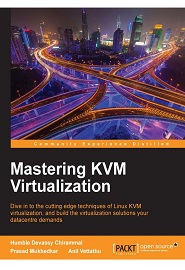
English | 2016 | ISBN: 978-1-78439-905-4 | 368 Pages | PDF, EPUB | 22 MB
A robust datacenter is essential for any organization – but you don’t want to waste resources. With KVM you can virtualize your datacenter, transforming a Linux operating system into a powerful hypervisor that allows you to manage multiple OS with minimal fuss.
This book doesn’t just show you how to virtualize with KVM – it shows you how to do it well. Written to make you an expert on KVM, you’ll learn to manage the three essential pillars of scalability, performance and security – as well as some useful integrations with cloud services such as OpenStack. From the fundamentals of setting up a standalone KVM virtualization platform, and the best tools to harness it effectively, including virt-manager, and kimchi-project, everything you do is built around making KVM work for you in the real-world, helping you to interact and customize it as you need it. With further guidance on performance optimization for Microsoft Windows and RHEL virtual machines, as well as proven strategies for backup and disaster recovery, you’ll can be confident that your virtualized data center is working for your organization – not hampering it. Finally, the book will empower you to unlock the full potential of cloud through KVM. Migrating your physical machines to the cloud can be challenging, but once you’ve mastered KVM, it’s a little easie.
What You Will Learn
- Explore the ecosystem of tools that support Linux virtualization
- Find out why KVM offers you a smarter way to unlock the potential of virtualization
- Implement KVM virtualization using oVirt
- Explore the KVM architecture – so you can manage, scale and optimize it with ease
- Migrate your virtualized datacenter to the cloud for truly resource-efficient computing
- Find out how to integrate OpenStack with KVM to take full control of the cloud
Homepage
Download from free file storage