
[Русский] TD-27KV Setup Guide
- Я СОГЛАСЕН И ХОЧУ ПРОДОЛЖИТЬ СКАЧИВАНИЕ
Поддержка
- Наверх
- Загрузки
- Инструкции
- Сопроводительные документы
- Quick Start Video
- Полезные материалы
- Контакты
- AC Adaptor Information
Quick Links
- BOSS Product Support
Downloadable Content
- Boss Tone Central
Инструкции и Руководства для Roland TD-27KV.
Мы нашли 91
инструкции доступные для бесплатного скачивания:
Reference manual, Инструкция по началу работы, Инструкция по применению, Инструкция по установке, Руководство пользователя, Техническая спецификация
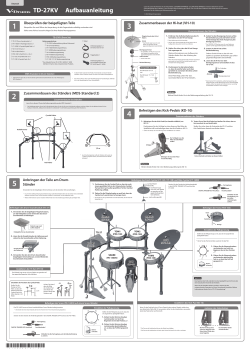
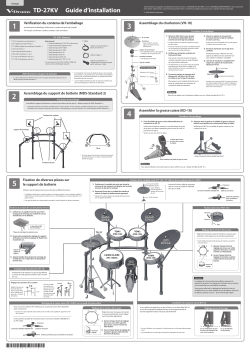
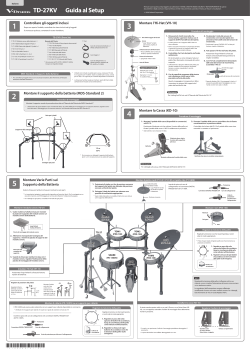
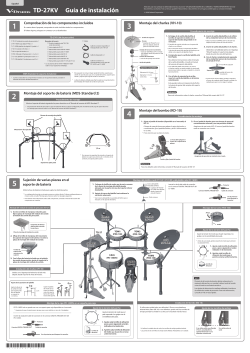
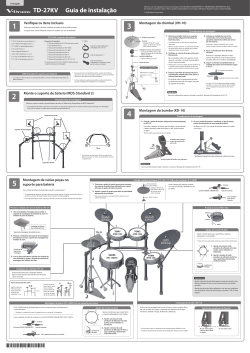
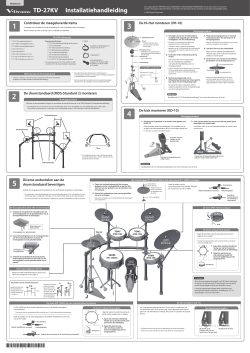
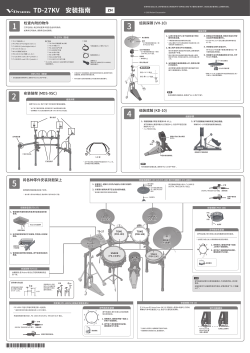
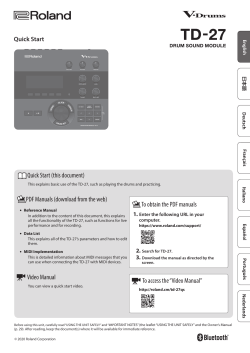
Roland VAD506 V-Drums Acoustic Design Owner’s manual
Бренд:
Roland
Размер:
2 MB
Страниц:
30
Язык(и):
Английский
Оглавление
-
4
Panel Descriptions
-
6
Connect Your Equipment
-
6
Rear Panel
-
7
Side Panel
-
8
Getting Ready
-
8
Mounting the TD-27 on the Stand
-
8
Turning the Power On/Off
-
8
Turning the Power On
-
8
Turning the Power Off
-
9
Making Hi-Hat Settings
-
9
Settings for the VH-10 / VH-11
-
9
Settings for the VH-13
-
10
About Performance Techniques
-
10
Snare / Toms
-
11
Hi-Hat
-
11
Cymbals
-
12
Selecting a Drum Kit
-
12
What Are “Drum Kits” and “Instruments”?
-
12
Selecting a Drum Kit
-
13
Performing Along with a Song
-
13
Performing Along with a Song from Your Smartphone
-
13
Connecting via a Cable to the MIX IN Jack
-
13
Connecting Wirelessly via Bluetooth
-
14
Performing Along with a Song
-
15
Practicing
-
15
Sounding a Click (Metronome)
-
15
Turning the Click On/Off
-
15
Practicing in Coach Mode
-
15
Correctly Playing in Time with the Beat (TIME CHECK)
-
16
Developing Internal Timing Sense (QUIET COUNT)
-
17
WARM UPS
-
18
Recording
-
18
Recording a Performance
-
18
Recording Your Performance Along with a Song
-
19
Recording on a Connected Computer
-
19
Installing the USB Driver
-
20
Editing a Drum Kit
-
20
Editing with the Sound Modify Knobs
-
21
Editing with the [KIT EDIT] Button
-
22
Importing and Playing Audio Files (USER SAMPLE)
-
22
Importing an Audio File
-
23
Assigning a User Sample to an Instrument and Playing It
-
24
Various Settings (SYSTEM)
-
24
Basic Operation in SYSTEM
-
24
Formatting an SD Card
-
25
Backing Up Data
-
25
Backing Up to an SD Card
-
25
Loading Backup Data from an SD Card
-
26
Setting the AUTO OFF Function
-
26
Restoring the Factory Settings
-
27
Troubleshooting
-
29
USING THE UNIT SAFELY
-
30
IMPORTANT NOTES
Открыть в новой вкладке
Roland TD-27 Drum Sound Module Bedienungsanleitung
Бренд:
Roland
Размер:
3 MB
Страниц:
30
Язык(и):
Немецкий
Оглавление
-
2
Technische Daten
-
4
Die Bedienoberfläche und Anschlüsse
-
6
Anschließen an externes Equipment
-
6
Die Rückseite
-
7
Die Anschlüsse an der Seite
-
8
Vorbereitungen
-
8
Befestigen des TD-27 an einem Ständer
-
8
Ein- und Ausschalten
-
8
Einschalten
-
8
Ausschalten des Instruments
-
9
Die Einstellungen für die Hi-hat
-
9
Einstellungen für die VH-10 / VH-11
-
9
Einstellungen für die VH-13
-
10
Die Spieltechniken
-
10
Snare / Toms
-
11
Hi-Hat
-
11
Cymbals
-
12
Auswählen eines Drum Kit
-
12
Was sind „Drum Kits“ und „Instrumente”?
-
12
Auswählen eines Drum Kits
-
13
Spielen zu einem Song
-
13
Spielen zur Musik-Wiedergabe eines Mobbilgeräts (Smartphone)
-
13
Verbindung über ein an der MIX IN-Buchse angeschlossenes Kabel
-
13
Drahtlos-Verbindung über Bluetooth
-
14
Spielen zu einem Song
-
15
Üben Ihres Spiels
-
15
Aktivieren eines Click (Metronom)
-
15
Ein- bzw. Ausschalten des Click-Signals
-
15
Üben im Coach-Modus
-
15
Spielen zu einem Beat (TIME CHECK)
-
16
Präzisieren der inneren Uhr (QUIET COUNT)
-
17
WARM UPS
-
18
Die Aufnahme
-
18
Aufzeichnen des eigenen Spiels
-
18
Aufnahme des eigenen Spiels zu einem Song
-
19
Aufzeichnen der Spieldaten auf einem Rechner
-
19
Installieren des USB-Treibers
-
20
Editieren eines Drum Kit
-
20
Verwenden der Sound Modify-Regler
-
21
Editieren mit dem [KIT EDIT]-Taster
-
22
Importieren und Abspielen von Audiodaten (USER SAMPLE)
-
22
Importieren einer Audiodatei
-
23
Zuweisen eines User-Sample als Instrument
-
24
Verschiedene Einstellungen (SYSTEM)
-
24
Grundsätzliche Bedienung im SYSTEM-Menü
-
24
Formatieren der SD-Karte
-
25
Erstellen von Sicherheitskopien Ihrer Daten
-
25
Erstellen einer Backup-Datei auf der SD-Karte
-
25
Laden von Backup-Daten von der SD-Karte
-
26
Die AUTO-OFF Funktion
-
26
Abrufen der Werksvoreinstellungen
-
27
Mögliche Fehlerursachen
-
29
SICHERHEITSHINWEISE
-
30
WICHTIGE HINWEISE
Открыть в новой вкладке
Roland TD-27 Drum Sound Module Manuel du propriétaire
Бренд:
Roland
Категория:
MP3/MP4 players
Размер:
3 MB
Страниц:
30
Язык(и):
Французский
Оглавление
-
4
Description des panneaux
-
6
Connexion de votre équipement
-
6
Panneau arrière
-
7
Panneau latéral
-
8
Mise en route
-
8
Fixation du TD-27 sur le support
-
8
Mise sous/hors tension
-
8
Mise sous tension
-
8
Mise hors tension
-
9
Réglages du charleston
-
9
Réglages du VH-10/VH-11
-
9
Réglages du VH-13
-
10
À propos des techniques de jeu
-
10
Caisse claire/toms
-
11
Charleston
-
11
Cymbales
-
12
Sélection d’un kit de percussion
-
12
À quoi correspondent les « kits de batterie » et les « instruments » ?
-
12
Sélection d’un kit de percussion
-
13
Accompagner une chanson
-
13
Jouer avec une chanson de votre smartphone
-
13
Connexion par un câble à la prise MIX IN
-
13
Connexion sans fil via Bluetooth
-
14
Accompagner une chanson
-
15
S’exercer
-
15
Utiliser le click (métronome)
-
15
Activation et désactivation du métronome
-
15
S’exercer en mode Coach
-
15
Jouer correctement en synchronisation avec le rythme (TIME CHECK)
-
16
Développer son sens interne du rythme (QUIET COUNT)
-
17
WARM UPS
-
18
Enregistrement
-
18
Enregistrement d’une interprétation
-
18
Enregistrement de votre interprétation en accompagnement d’une chanson
-
19
Enregistrement sur un ordinateur connecté
-
19
Installation du pilote USB
-
20
Modification d’un kit de batterie
-
20
Modification avec les boutons de modification du son
-
21
Modification à l’aide du bouton [KIT EDIT]
-
22
Importation et lecture de fichiers audio (USER SAMPLE)
-
22
Importation d’un fichier audio
-
23
Affectation d’un échantillon utilisateur à un instrument et lecture
-
24
Réglages divers (SYSTEM)
-
24
Opérations de base dans SYSTEM
-
24
Formatage d’une carte SD
-
25
Sauvegarde des données
-
25
Sauvegarde sur une carte SD
-
25
Chargement des données de sauvegarde depuis une carte SD
-
26
À propos de la fonction AUTO OFF
-
26
Rétablissement des paramètres d’usine
-
27
Dépannage
-
29
CONSIGNES DE SÉCURITÉ
-
30
REMARQUES IMPORTANTES
Открыть в новой вкладке
Roland TD-27 Drum Sound Module Manuale del proprietario
Бренд:
Roland
Размер:
2 MB
Страниц:
30
Язык(и):
Итальянский
Оглавление
-
2
Specifiche Principali
-
4
Descrizione dei Pannelli
-
6
Connettere i Vostri Dispositivi
-
6
Pannello Posteriore
-
7
Pannello Laterale
-
8
Preparazione
-
8
Montare il TD-27 su un Supporto
-
8
Accensione e Spegnimento
-
8
Accensione
-
8
Spegnimento
-
9
Effettuare le Impostazioni dell’Hi-hat
-
9
Impostazioni del VH-10 / VH-11
-
9
Impostazioni del VH-13
-
10
Riguardo alle Tecniche Esecutive
-
10
Rullante / Tom
-
11
Hi-Hat
-
11
Piatti
-
12
Selezionare un Drum Kit
-
12
Cosa sono i Drum Kit e gli Strumenti (Instrument)
-
12
Selezionare un Drum Kit
-
13
Suonare Su una Song
-
13
Suonate sull’Audio Riprodotto dal Vostro Smartphone
-
13
Connessione con un Cavo alla Presa MIX IN
-
13
Connessione Wireless via Bluetooth
-
14
Suonare Su una Song
-
15
Esercitarsi
-
15
Far Suonare un Click (Metronomo)
-
15
Attivare e Disattivare il Click
-
15
Esercitarsi in Modo Coach
-
15
Suonare Correttamente a Tempo Con il Ritmo (TIME CHECK)
-
16
Sviluppare il Senso del Tempo Interno (QUIET COUNT)
-
17
WARM UPS
-
18
Registrare
-
18
Registrare un’Esecuzione
-
18
Registrare la Vostra Esecuzione Insieme a una Song
-
19
Registrare su un Computer Collegato
-
19
Installare il Driver USB
-
20
Modificare un Drum Kit
-
20
Modificare Con le Manopole di Modifica del Suono
-
21
Modifica con il Tasto [KIT EDIT]
-
22
Importare e Riprodurre File Audio (USER SAMPLE)
-
22
Importare un File Audio
-
23
Assegnare uno User Sample ad uno Strumento e Suonarlo
-
24
Impostazioni Varie (SYSTEM)
-
24
Operazioni di Base in SYSTEM
-
24
Formattare una Card SD
-
25
Backup dei Dati
-
25
Backup su una Card SD
-
25
Ricaricare i Dati della Backup da una Card SD
-
26
Impostare la funzione di spegnimento automatico (AUTO OFF)
-
26
Ripristinare le Impostazioni di Fabbrica
-
27
Risoluzione di Eventuali Problemi
-
29
USARE L’UNITÀ IN MODO SICURO
-
30
NOTE IMPORTANTI
Открыть в новой вкладке

Roland TD-27 Drum Sound Module El manual del propietario
Бренд:
Roland
Размер:
3 MB
Страниц:
30
Язык(и):
Испанский
Оглавление
-
4
Descripción de los paneles
-
6
Conexión del equipo
-
6
Panel trasero
-
7
Panel lateral
-
8
Preparación
-
8
Montaje del TD-27 en el soporte
-
8
Encendido y apagado
-
8
Encendido
-
8
Apagado
-
9
Ajustes de charles
-
9
Ajustes del VH-10 / VH-11
-
9
Ajustes del VH-13
-
10
Acerca de las técnicas de interpretación
-
10
Caja / toms
-
11
Charles
-
11
Platillos
-
12
Selección de un kit de percusión
-
12
¿Qué son los “kits de percusión” y los “instrumentos”?
-
12
Selección de un kit de percusión
-
13
Interpretación junto con una canción
-
13
Interpretación junto con una canción de su teléfono móvil
-
13
Conexión a través de un cable al conector MIX IN
-
13
Conexión inalámbrica a través de Bluetooth
-
14
Interpretación junto con una canción
-
15
Ensayar
-
15
Uso del metrónomo
-
15
Activación/desactivación del metrónomo
-
15
Ensayar con el modo Coach
-
15
Interpretación correcta a tiempo con el ritmo (TIME CHECK)
-
16
Desarrollo del sentido interno del tiempo (QUIET COUNT)
-
17
Calentamiento (WARM UPS)
-
18
Grabación
-
18
Grabación de interpretaciones
-
18
Grabación de una interpretación junto con una canción
-
19
Grabación en un ordenador conectado
-
19
Instalación del controlador USB
-
20
Edición de un kit de percusión
-
20
Edición con los mandos de modificación de sonido
-
21
Edición con el botón [KIT EDIT]
-
22
Importación y reproducción de archivos de audio (USER SAMPLE)
-
22
Importación de un archivo de audio
-
23
Asignación de una muestra de usuario a un instrumento y reproducción
-
24
Varios ajustes (SYSTEM)
-
24
Funcionamiento básico en SYSTEM
-
24
Formateo de tarjetas SD
-
25
Copia de seguridad de los datos
-
25
Copia de seguridad en una tarjeta SD
-
25
Carga de los datos de copia de seguridad guardados en una tarjeta SD
-
26
Ajuste de la función AUTO OFF
-
26
Restauración de los ajustes de fábrica
-
27
Solución de problemas
-
29
UTILIZACIÓN SEGURA DE LA UNIDAD
-
30
NOTAS IMPORTANTES
Открыть в новой вкладке
Roland TD-27 Drum Sound Module Manual do proprietário
Бренд:
Roland
Размер:
2 MB
Страниц:
30
Язык(и):
Португальский
Оглавление
-
4
Descrições do painel
-
6
Conexão do seu equipamento
-
6
Painel traseiro
-
7
Painel lateral
-
8
Preparação
-
8
Montagem do TD-27 no suporte
-
8
Ligar o equipamento
-
8
Ligar/desligar o equipamento
-
8
Desligar o equipamento
-
9
Configurações do chimbal
-
9
Configurações do VH-10 / VH-11
-
9
Configurações do VH-13
-
10
Sobre técnicas de performance
-
10
Caixa / Toms
-
11
Chimbal
-
11
Pratos
-
12
Seleção de um Drum Kit
-
12
O que são “Drum Kits” e “Instruments””?
-
12
Seleção de um Drum Kit
-
13
Tocar junto com uma música
-
13
Como tocar junto com uma música do smartphone
-
13
Conexão por cabo no conector MIX IN
-
13
Conexão sem fio via Bluetooth
-
14
Tocar junto com uma música
-
15
Prática
-
15
Tocar um metrônomo
-
15
Ligar/desligar o metrônomo
-
15
Prática com o modo Coach
-
15
Tocar corretamente em sincronia com o pulso (TIME CHECK)
-
16
Desenvolvimento do senso de tempo interno (QUIET COUNT)
-
17
WARM UPS
-
18
Gravação
-
18
Gravação de uma performance
-
18
Gravação de sua performance junto com uma música
-
19
Gravação em um computador conectado
-
19
Instalação do driver USB
-
20
Edição de um kit de bateria
-
20
Edição com os botões giratórios de modificação de som
-
21
Edição com o botão [KIT EDIT]
-
22
Importação e reprodução de arquivos de áudio (USER SAMPLE)
-
22
Importação de um arquivo de áudio
-
23
Atribuição de um User Sample a um instrumento e sua utilização para tocar
-
24
Configurações diversas (SYSTEM)
-
24
Operação básica em SYSTEM
-
24
Formatação de um cartão SD
-
25
Backup de dados
-
25
Backup em um cartão SD
-
25
Carregamento de dados de backup de um cartão SD
-
26
Configuração da função AUTO OFF
-
26
Restaurar os ajustes de fábrica
-
27
Solução de problemas
-
29
USO SEGURO DO EQUIPAMENTO
-
30
OBSERVAÇÕES IMPORTANTES
Открыть в новой вкладке
Roland TD-27 Drum Sound Module de handleiding
Бренд:
Roland
Размер:
3 MB
Страниц:
30
Язык(и):
Голландский
Оглавление
-
4
Paneelbeschrijvingen
-
6
Uw apparatuur aansluiten
-
6
Achterpaneel
-
7
Zijpaneel
-
8
Aan de slag
-
8
De TD-27 monteren op de standaard
-
8
Het apparaat in- en uitschakelen
-
8
Het apparaat inschakelen
-
8
Het apparaat uitschakelen
-
9
Hi-hat-instellingen maken
-
9
Instellingen voor de VH-10/VH-11
-
9
Instellingen voor de VH-13
-
10
Over speeltechnieken
-
10
Snare/Toms
-
11
Hi-hat
-
11
Cimbalen
-
12
Een drumkit selecteren
-
12
Wat zijn “drumkits” en “instrumenten”?
-
12
Een drumkit selecteren
-
13
Meespelen met een liedje
-
13
Meespelen met een liedje van uw smartphone
-
13
Verbinden via een kabel met de MIX IN-aansluiting
-
13
Draadloos verbinden via Bluetooth
-
14
Meespelen met een liedje
-
15
Oefenen
-
15
Een klik (metronoom) laten weerklinken
-
15
De klik in- of uitschakelen
-
15
Oefenen in de Coach-modus
-
15
Precies in de maat spelen (TIME CHECK)
-
16
Een intern gevoel voor timing ontwikkelen (QUIET COUNT)
-
17
WARM UPS
-
18
Opnemen
-
18
Een performance opnemen
-
18
Uw performance samen met een song opnemen
-
19
Opnemen op een aangesloten computer
-
19
Het USB-stuurprogramma installeren
-
20
Een drumkit bewerken
-
20
Bewerken met de geluidbewerkingsregelaars
-
21
Bewerken met de [KIT EDIT]-knop
-
22
Audiobestanden importeren en afspelen (USER SAMPLE)
-
22
Een audiobestand importeren
-
23
Een gebruikerssample toewijzen aan een instrument en deze afspelen
-
24
Verschillende instellingen (SYSTEM)
-
24
Basisbediening in SYSTEM
-
24
Een SD-kaart formatteren
-
25
Back-ups maken van gegevens
-
25
Back-ups maken naar een SD-kaart
-
25
Back-upgegevens van een SD-kaart laden
-
26
De AUTO OFF-functie instellen
-
26
De fabrieksinstellingen herstellen
-
27
Problemen oplossen
-
29
HET APPARAAT VEILIG GEBRUIKEN
-
30
BELANGRIJKE OPMERKINGEN
Открыть в новой вкладке
Roland VAD506 V-Drums Acoustic Design Manual
Бренд:
Roland
Размер:
3 MB
Страниц:
67
Язык(и):
Английский
Оглавление
-
6
Overview of the TD-27
-
6
Drum Kits
-
7
Memory
-
8
Panel Descriptions
-
10
Connect Your Equipment
-
10
Rear Panel
-
11
Side Panel
-
12
Getting Ready
-
12
Mounting the TD-27 on the Stand
-
12
Turning the Power On/Off
-
12
Turning the Power On
-
12
Turning the Power Off
-
13
Making Hi-Hat Settings
-
13
Settings for the VH-10 / VH-11
-
13
Settings for the VH-13
-
14
About Performance Techniques
-
14
Snare / Toms
-
15
Hi-Hat
-
15
Cymbals
-
16
Performing
-
17
Performing
-
17
Selecting a Drum Kit
-
17
Using a Cross-Stick Technique
-
17
Stopping All Currently Played Sounds (ALL SOUND OFF)
-
18
Recalling Drum Kits Successively (SET LIST)
-
18
Creating a Set List
-
19
Using Set Lists
-
20
Performing Along with a Song
-
20
Performing Along with a Song from Your Smartphone
-
20
Connecting via a Cable to the MIX IN Jack
-
20
Connecting Wirelessly via Bluetooth
-
21
Performing Along with a Song
-
23
Playing Back the Click Along with the Song
-
23
Preparing a Click Track
-
23
Playing Back the Click Track Along with the Song
-
24
Practicing
-
24
Sounding a Click (Metronome)
-
24
Turning the Click On/Off
-
24
Practicing in Coach Mode
-
24
Correctly Playing in Time with the Beat (TIME CHECK)
-
25
Developing Internal Timing Sense (QUIET COUNT)
-
26
WARM UPS
-
27
Recording
-
27
Recording a Performance
-
27
Recording Your Performance Along with a Song
-
28
Recording on a Connected Computer
-
28
Installing the USB Driver
-
29
Editing a Drum Kit
-
30
Editing a Drum Kit
-
30
Editing with the Sound Modify Knobs
-
31
Editing with the [KIT EDIT] Button
-
33
Layering Instruments (SUB INSTRUMENT)
-
34
Comparing with or Reverting to the Unedited Drum Kit (SNAPSHOT)
-
35
Importing and Playing Audio Files (USER SAMPLE)
-
35
Importing an Audio File
-
36
Assigning a User Sample to an Instrument and Playing It
-
36
Listing the User Samples (LIST)
-
38
Organizing User Samples
-
39
Other Settings
-
39
Renaming the Drum Kit (KIT NAME)
-
40
Specifying the Tempo for Each Drum Kit (KIT TEMPO)
-
40
Making MIDI Transmit/Receive Settings for Each Pad (KIT MIDI)
-
41
Muting the Sound of a Specific Pad When You Strike a Pad (MUTE GROUP)
-
41
Changing the Sound by the Pad Position You Strike (POSITION)
-
42
Controlling Tonal Change (PEDAL BEND)
-
42
Performing with Brushes (BRUSH SW)
-
42
Specifying the Illumination Color of the [DRUM KIT] Button and Knobs (KIT COLOR)
-
43
Copying Settings (COPY)
-
45
System Settings
-
46
Making Various Settings (SYSTEM)
-
46
Basic Operation in SYSTEM
-
46
Bluetooth Settings (BLUETOOTH)
-
47
Backing Up Data to an SD Card (SD CARD)
-
47
Backing Up All Settings (SAVE)
-
47
Loading Backup Data from an SD Card (LOAD)
-
48
Backing Up Drum Kit to an SD Card (1 KIT SAVE)
-
49
Loading Kit Backup Data from an SD Card (1 KIT LOAD)
-
49
Deleting Backup Data from an SD Card (DELETE/1 KIT DELETE)
-
50
Checking the Usage Status of an SD Card (INFO)
-
50
Formatting an SD Card (FORMAT)
-
51
Trigger Settings (TRIGGER)
-
51
Specifying the Pad Type
-
51
Adjusting the Hi-Hat Settings (HI-HAT)
-
52
Specifying a Digitally-Connected Pad (DIGITAL)
-
52
Adjusting the Pad Sensitivity (PARAM)
-
53
Viewing Trigger Information for Each Pad (MONITOR)
-
54
Eliminate Crosstalk Between Pads (Crosstalk Cancellation)
-
55
Audio Output Assignments (OUTPUT)
-
57
Specifying the Output Routing
-
58
Specifying the USB Audio (USB AUDIO)
-
58
Specifying the USB Driver
-
58
Specifying the Output Destination for USB Audio
-
59
Specifying the Input for USB Audio
-
59
MIDI Settings (MIDI)
-
60
Making Option Settings (OPTION)
-
60
Assigning Functions to Footswitches or Pads (CONTROL)
-
61
Setting the AUTO OFF Function (AUTO OFF)
-
62
Viewing Information for the TD-27 Itself (INFO)
-
62
Restoring the Factory Settings (FACTORY RESET)
-
63
Appendix
-
64
Error Messages
-
64
List of Displayed Messages
-
65
Other Messages
-
66
Troubleshooting
Открыть в новой вкладке
Roland TD-27 Drum Sound Module Benutzerhandbuch
Бренд:
Roland
Размер:
3 MB
Страниц:
67
Язык(и):
Немецкий
Оглавление
-
6
Überblick über das TD-27
-
6
Drum Kits
-
7
Speicher
-
8
Die Bedienoberfläche und Anschlüsse
-
10
Anschließen an externes Equipment
-
10
Die Rückseite
-
11
Die Anschlüsse an der Seite
-
12
Vorbereitungen
-
12
Befestigen des TD-27 an einem Ständer
-
12
Ein- und Ausschalten
-
12
Einschalten
-
12
Ausschalten des Instruments
-
13
Die Einstellungen für die Hi-hat
-
13
Einstellungen für die VH-10 / VH-11
-
13
Einstellungen für die VH-13
-
14
Die Spieltechniken
-
14
Snare / Toms
-
15
Hi-Hat
-
15
Cymbals
-
16
Spielen des Instruments
-
17
Spielen des Instruments
-
17
Auswählen eines Drum Kits
-
17
Die Cross-Stick Spieltechnik
-
17
Stoppen aller aktuell spielenden Sounds (ALL SOUND OFF)
-
18
Aufeinander folgendes Abrufen von mehreren Drum Kits (SET LIST)
-
18
Erstellen einer Set-Liste
-
19
Anwendung der Set-Listen
-
20
Spielen zu einem Song
-
20
Spielen zur Musik-Wiedergabe eines Mobbilgeräts
-
20
Verbindung über ein an der MIX IN-Buchse angeschlossenes Kabel
-
20
Drahtlos-Verbindung über Bluetooth
-
21
Spielen zu einem Song
-
23
Abspielen des Click Track zusammen mit dem Song
-
23
Vorbereiten eines Click Track
-
23
Abspielen des Click Track zusammen mit dem Song
-
24
Üben Ihres Spiels
-
24
Aktivieren eines Click (Metronom)
-
24
Ein- bzw. Ausschalten des Click-Signals
-
24
Üben im Coach-Modus
-
24
Spielen zu einem Beat (TIME CHECK)
-
25
Präzisieren der inneren Uhr (QUIET COUNT)
-
26
WARM UPS
-
27
Die Aufnahme
-
27
Aufzeichnen des eigenen Spiels
-
27
Aufnahme des eigenen Spiels zu einem Song
-
28
Aufzeichnen der Spieldaten auf einem Rechner
-
28
Installieren des USB-Treibers
-
29
Editieren eines Drum Kit
-
30
Editieren eines Drum Kit
-
30
Verwenden der Sound Modify-Regler
-
31
Editieren mit dem [KIT EDIT]-Taster
-
33
Übereinanderlegen von Instrumenten (SUB INSTRUMENT)
-
34
Vergleichen von Einstellungen bzw. Abrufen der vorherigen Einstellungen des Drum-Kits (SNAPSHOT)
-
35
Importieren und Abspielen von Audiodaten (USER SAMPLE)
-
35
Importieren einer Audiodatei
-
36
Zuweisen eines User Samples als Instrument
-
36
Aufrufen der User Sample-Liste (LIST)
-
38
Verwalten von User-Samples
-
39
Andere Einstellungen
-
39
Umbenennen eines Drum Kit (KIT NAME)
-
40
Einstellen des Tempos für ein Drum-Kit (KIT TEMPO)
-
40
Die MIDI Sende/Empfangs-Einstellungen für jedes Pad (KIT MIDI)
-
41
Stummschalten des Sounds bei Anschlagen eines anderen Pads (MUTE GROUP)
-
41
Verändern der Klangfarbe durch Anschlagen unterschiedlicher Bereiche (POSITION)
-
42
Echtzeit-Steuerung der Klangfarbe (PEDAL BEND)
-
42
Spielen mit Besen (BRUSH SW)
-
42
Auswahl der Farbskala für den [DRUM KIT]-Taster und die Regler (KIT COLOR)
-
43
Kopieren von Einstellungen (COPY)
-
45
Die System-Einstellungen
-
46
Verändern verschiedener Einstellungen (SYSTEM)
-
46
Grundsätzliche Bedienung im SYSTEM-Menü
-
46
Bluetooth-Einstellungen (BLUETOOTH)
-
47
Erstellen einer Backup-Datei auf derSD-Karte (SD CARD)
-
47
Erstellen einer Sicherheitskopie aller Daten (SAVE)
-
47
Laden von Backup-Daten von der SD-Karte (LOAD)
-
48
Sichern eines einzelnen Drum-Kits auf der SD-Karte (1 KIT SAVE)
-
49
Laden von Kit Backup-Daten von der SD-Karte (1 KIT LOAD)
-
49
Löschen einer Backup-Datei von einer SD-Karte (DELETE/1 KIT DELETE)
-
50
Überprüfen des Status der SD-Karte (INFO)
-
50
Formatieren einer SD-Karte (FORMAT)
-
51
Trigger-Einstellungen (TRIGGER)
-
51
Bestimmen des Pad-Typs
-
51
Einstellungen für die Hi-hat (HI-HAT)
-
52
Einstellungen für ein Pad mit digitalem Anschluss (DIGITAL)
-
52
Einstellen der Pad-Empfindlichkeit (PARAM)
-
53
Prüfen der Trigger-Einstellungen für die einzelnen Pads (MONITOR)
-
54
Verhindern von Übersprech-Effekten zwischen Pads (Crosstalk Cancellation)
-
55
Audio Output-Zuordnungen (OUTPUT)
-
57
Einstellen des Output Routing
-
58
Bestimmen des Eingangs für das USB Audio-Signal (USB AUDIO)
-
58
Auswahl des USB-Treibers
-
58
Bestimmen des Ausgabeziels für das USB Audio-Signal
-
59
Bestimmen des Eingangs für das USB Audio-Signal
-
59
MIDI-Einstellungen (MIDI)
-
60
Einstellen verschiedener Parameter (OPTION)
-
60
Zuweisen von Funktionen für Fußtaster und Pads (CONTROL)
-
61
Die AUTO-OFF Funktion (AUTO OFF)
-
62
Anzeigen von Informationen für das TD-27 (INFO)
-
62
Abrufen der Werksvoreinstellungen(Factory Reset)
-
63
Anhang
-
64
Fehlermeldungen
-
64
Liste der Meldungen im Display
-
65
Andere Meldungen
-
66
Mögliche Fehlerursachen
Открыть в новой вкладке
Roland TD-27 Drum Sound Module Manuel utilisateur
Бренд:
Roland
Категория:
Music drums
Размер:
3 MB
Страниц:
66
Язык(и):
Французский
Оглавление
-
6
Vue d’ensemble de la TD-27
-
6
Kits de batterie
-
7
Mémoire
-
8
Description de la façade
-
10
Connectez votre équipement
-
10
Panneau arrière
-
11
Face latérale
-
12
Mise en route
-
12
Fixation du TD-27 sur le rack
-
12
Mise sous/hors tension
-
12
Mise sous tension
-
12
Mise hors tension
-
13
Réglages du charleston
-
13
Réglages du VH-10/VH-11
-
13
Réglages du VH-13
-
14
Techniques de jeu
-
14
Caisse claire / toms
-
15
Charleston
-
15
Cymbales
-
16
Jeu
-
17
Jouer
-
17
Choix d’un kit de batterie
-
17
Jouer en cross-stick
-
17
Arrêter tous les sons joués (ALL SOUND OFF)
-
18
Rappeler successivement des kits de batterie (SET LIST)
-
18
Créer une Set List
-
19
Utiliser les Set Lists
-
20
Jouer avec de la musique
-
20
Jouer sur la musique de votre smartphone
-
20
Connexion par un câble à la prise MIX IN
-
20
Connexion sans fil via Bluetooth
-
21
Jouer avec de la musique
-
23
Lancer le métronome avec une chanson
-
23
Préparer une piste de clic
-
23
Lancer la piste de clic avec une chanson
-
24
Travailler l’instrument
-
24
Lancer le métronome
-
24
Métronome On/Off
-
24
Travailler en mode Coach
-
24
Jouer en place avec le métronome (TIME CHECK)
-
25
Développer le sens du tempo (QUIET COUNT)
-
26
WARM UPS
-
27
Enregistrement
-
27
Enregistrer une partie de batterie
-
28
Enregistrer une partie de batterie avec une chanson
-
28
Enregistrer sur un ordinateur connecté
-
28
Installation du pilote USB
-
29
Personnaliser un kit
-
30
Modifier un kit de batterie
-
30
Édition par les boutons d’édition du son
-
31
Édition par le bouton [KIT EDIT]
-
33
Superposer des instruments (SUB INSTRUMENT)
-
34
Comparaison ou retour au kit de batterie d’origine (SNAPSHOT)
-
35
Importation et lecture de fichiers audio (USER SAMPLE)
-
35
Importation d’un fichier audio
-
36
Affectation d’un échantillon utilisateur à un instrument et lecture
-
36
Lister les échantillons utilisateur (LIST)
-
38
Organiser les échantillons utilisateur
-
39
Autres réglages
-
39
Renommer le kit de batterie (KIT NAME)
-
40
Préciser le tempo pour chaque kit de batterie (KIT TEMPO)
-
40
Transmission/réception de messages MIDI pour chaque pad (KIT MIDI)
-
41
Couper le son d’un pad quand vous frappez un autre pad (MUTE GROUP)
-
41
Changer de son selon la zone du pad frappée (POSITION)
-
42
Contrôle des changements de timbre (PEDAL BEND)
-
42
Jouer aux balais (BRUSH SW)
-
42
Choix de la couleur d’illumination des boutons [DRUM KIT] (KIT COLOR)
-
43
Copier des réglages (COPY)
-
45
Réglages système
-
46
Réglages divers (SYSTEM)
-
46
Opérations de base dans SYSTEM
-
46
Réglages Bluetooth (BLUETOOTH)
-
47
Sauvegarder des données sur carte SD (SD CARD)
-
47
Sauvegarder l’ensemble des réglages (SAVE)
-
47
Chargement des données de sauvegarde depuis une carte SD (LOAD)
-
48
Sauvegarder un kit de batterie sur carte SD (1 KIT SAVE)
-
49
Chargement d’un kit sauvegardé sur carte SD (KIT 1 LOAD)
-
49
Effacement de données de sauvegarde sur une carte SD (DELETE/1KIT DELETE)
-
50
Vérifier le contenu d’une carte SD (INFO)
-
50
Formatage d’une carte SD (FORMAT)
-
51
Réglages de capteur (TRIGGER)
-
51
Préciser le type de pad
-
51
Réglages de charleston (HI-HAT)
-
52
Signaler un pad à connexion numérique (DIGITAL)
-
52
Régler la sensibilité d’un pad (PARAM)
-
53
Voir les informations de capteur pour chaque pad (MONITOR)
-
54
Éliminer le Crosstalk entre pads (Crosstalk Cancellation)
-
55
Assignations de sortie audio (OUTPUT)
-
57
Préciser le routage de sortie
-
58
Régler l’USB audio (USB AUDIO)
-
58
Définir le pilote USB
-
58
Préciser la destination de sortie pour l’USB audio
-
59
Préciser l’entrée pour l’USB audio
-
59
Réglages MIDI (MIDI)
-
60
Réglages Option (OPTION)
-
60
Attribuer des fonctions à des commutateurs au pied ou pads (CONTROL)
-
61
Régler la fonction AUTO OFF (AUTO OFF)
-
62
Voir les informations du module TD-27 (INFO)
-
62
Restaurer les réglages d’usine (FACTORY RESET)
-
63
Appendice
-
64
Messages d’erreur
-
64
Liste des messages affichés
-
64
Autres messages
-
65
Résolution des problèmes
Открыть в новой вкладке

Roland TD-27 Drum Sound Module Manuale utente
Бренд:
Roland
Категория:
Musical Equipment
Размер:
3 MB
Страниц:
67
Язык(и):
Итальянский
Оглавление
-
6
Descrizione generale del TD-27
-
6
Drum Kit
-
7
Memoria
-
8
Descrizione dei Pannelli
-
10
Connettere i Vostri Dispositivi
-
10
Pannello Posteriore
-
11
Pannello Laterale
-
12
Preparazione
-
12
Montare il TD-27 su un Supporto
-
12
Accensione e Spegnimento
-
12
Accensione
-
12
Spegnimento
-
13
Effettuare le Impostazioni dell’Hi-hat
-
13
Impostazioni del VH-10 / VH-11
-
13
Impostazioni del VH-13
-
14
Riguardo alle Tecniche Esecutive
-
14
Rullante / Tom
-
15
Hi-Hat
-
15
Piatti
-
16
Suonare
-
17
Suonare
-
17
Selezionare un Drum Kit
-
17
Usare la Tecnica del Cross Stick
-
17
Interrompere Tutti i Suoni Riprodotti Correntemente (ALL SOUND OFF)
-
18
Richiamare in Successione i Drum Kit (SET LIST)
-
18
Creare una Set List
-
19
Usare le Set List
-
20
Suonare Su una Song
-
20
Suonate sull’Audio Riprodotto dal Vostro Smartphone
-
20
Connessione con un Cavo alla Presa MIX IN
-
20
Connessione Wireless via Bluetooth
-
21
Suonare Su una Song
-
23
Riprodurre il Click Insieme alla Song
-
23
Preparare una Traccia del Click
-
23
Riprodurre la Traccia del Click Insieme alla Song
-
24
Esercitarsi
-
24
Far Suonare un Click (Metronomo)
-
24
Attivare e Disattivare il Click
-
24
Esercitarsi in Modo Coach
-
24
Suonare Correttamente a Tempo Con il Ritmo (TIME CHECK)
-
25
Sviluppare il Senso del Tempo Interno (QUIET COUNT)
-
26
WARM UPS
-
27
Registrare
-
27
Registrare un’Esecuzione
-
27
Registrare la Vostra Esecuzione Insieme a una Song
-
28
Registrare su un Computer Collegato
-
28
Installare il Driver USB
-
29
Modificare un Drum Kit
-
30
Modificare un Drum Kit
-
30
Modificare Con le Manopole di Modifica del Suono
-
31
Modifica con il Tasto [KIT EDIT]
-
33
Sovrapporre gli Instruments (SUB INSTRUMENT)
-
34
Comparare o Tornare al Drum Kit Non Modificato (SNAPSHOT)
-
35
Importare e Riprodurre File Audio (USER SAMPLE)
-
35
Importare un File Audio
-
36
Assegnare uno User Sample ad uno Strumento e Suonarlo
-
36
Elenco degli User Sample (LIST)
-
38
Organizzare gli User Sample
-
39
Altre Impostazioni
-
39
Rinominare il Drum Kit (KIT NAME)
-
40
Specificare il Tempo per Ogni Drum Kit (KIT TEMPO)
-
40
Effettuare le Impostazioni di Trasmissione e Ricezione MIDI per Ogni Pad (KIT MIDI)
-
41
Silenziare il Suono di un Pad Specifico Quando Colpite un Pad (MUTE GROUP)
-
41
Cambiare il Suono a Seconda della Posizione Percossa del Pad (POSITION)
-
42
Controllare i Cambiamenti Timbrici (PEDAL BEND)
-
42
Suonare con le Spazzole (BRUSH SW)
-
42
Specificare il Colore di Illuminazione del Tasto [DRUM KIT] e delle Manopole (KIT COLOR)
-
43
Copiare le Impostazioni (COPY)
-
45
Impostazioni System
-
46
Effettuare Varie Impostazioni (SYSTEM)
-
46
Operazioni di Base in SYSTEM
-
46
Impostazioni Bluetooth (BLUETOOTH)
-
47
Backup dei Dati su una Card SD (SD CARD)
-
47
Backup di Tutte le Impostazioni (SAVE)
-
47
Ricaricare i Dati della Backup da una Card SD (LOAD)
-
48
Backup dei Drum Kit su una Card SD (1 KIT SAVE)
-
49
Ricaricare i Dati della Backup del Kit da una Card SD (1KIT LOAD)
-
49
Cancellare i Dati della Backup da una Card SD (DELETE/1 KIT DELETE)
-
50
Controllare lo Stato d’Uso della Card SD (INFO)
-
50
Formattare una Card SD (FORMAT)
-
51
Impostazioni Trigger (TRIGGER)
-
51
Specificare il Tipo di Pad
-
51
Regolare le Impostazioni dell’Hi-Hat (HI-HAT)
-
52
Specificare un Pad Connesso Digitalmente (DIGITAL)
-
52
Regolare la Sensibilità del Pad (PARAM)
-
53
Visualizzare le Informazioni Trigger per Ogni Pad (MONITOR)
-
54
Eliminare le Interferenze Tra i Pad (Crosstalk Cancellation)
-
55
Assegnazioni delle Uscite Audio (OUTPUT)
-
57
Specificare gli Indirizzamenti in Uscita
-
58
Specificare l’USB Audio (USB AUDIO)
-
58
Specificare il Driver USB
-
58
Specificare la Destinazione di Uscita per l’Audio USB
-
59
Specificare l’Ingresso per l’Audio USB
-
59
Impostazioni MIDI (MIDI).
-
60
Effettuare Impostazioni Opzionali (OPTION)
-
60
Assegnare Funzioni agli Interruttori a Pedale o ai Pad (CONTROL)
-
61
Impostare la Funzione di Spegnimento Automatico (AUTO OFF)
-
62
Visualizzare Informazioni del TD-27 Stesso (INFO)
-
62
Ripristinare le Impostazioni di Fabbrica (FACTORY RESET)
-
63
Appendice
-
64
Messaggi di Errore
-
64
Lista dei Messaggi Visualizzati
-
65
Altri Messaggi
-
66
Risoluzione di Eventuali Problemi
Открыть в новой вкладке

Roland TD-27 Drum Sound Module Handleiding
Бренд:
Roland
Размер:
3 MB
Страниц:
67
Язык(и):
Голландский
Оглавление
-
6
Overzicht van de TD-27
-
6
Drumkits
-
7
Geheugen
-
8
Paneelbeschrijvingen
-
10
Apparatuur aansluiten
-
10
Achterpaneel
-
11
Zijpaneel
-
12
Aan de slag
-
12
De TD-27 monteren op de stand
-
12
De Stroom Aan/Uitschakelen
-
12
Het apparaat Aanschakelen
-
12
Het apparaat uitschakelen
-
13
Hi-hat-instellingen Creëren
-
13
Instellingen voor de VH-10 / VH-11
-
13
Instellingen voor de VH-13
-
14
Over Speeltechnieken
-
14
Snare / Toms
-
15
Hi-hat
-
15
Cimbalen
-
16
Spelen
-
17
Spelen
-
17
Een drumkit selecteren
-
17
Cross-Stick Technieken Gebruiken
-
17
Alle Huidige Gespeelde Sounds Stoppen (ALL SOUND OFF)
-
18
Opnieuw Oproepen van Drum Kits (SET LIST)
-
18
Een Set List Creëren
-
19
Set Lists Gebruiken
-
20
Meespelen met een Song
-
20
Samen Spelen met een Song op Je Smartphone
-
20
Maak verbinding via een kabel op de MIX IN Jack
-
20
Draadloos Verbinding Maken via Bluetooth
-
21
Meespelen met een Song
-
23
De Click Afspelen samen met de Song
-
23
Een Click Track Voorbereiden
-
23
De Click Samen Afspelen met de Song
-
24
Oefenen
-
24
Een Click Afspelen (Metronoom)
-
24
De Click Aan/Uitschakelen
-
24
Oefenen in Coach Mode
-
24
Met een Correcte Timing Spelen, samen met de Beat (TIME CHECK)
-
25
Een Intern Timing Gevoel Ontwikkelen (QUIET COUNT)
-
26
WARM UPS
-
27
Opnemen
-
27
Een Performance Opnemen
-
27
Je Performance samen met een Song Opnemen
-
28
Opnemen op een aangesloten computer
-
28
De USB-driver (stuurprogramma) installeren
-
29
Een Drumkit Bewerken
-
30
Een Drumkit Bewerken
-
30
Editen met de Sound Modify-knoppen
-
31
Editen met de [KIT EDIT]-knop
-
33
Instrumenten Stapelen / Layeren (SUB INSTRUMENT)
-
34
Vergelijken met of Terugkeren naar de Niet-bewerkte Drumkit (SNAPSHOT)
-
35
Audiobestanden importeren en afspelen (USER SAMPLE)
-
35
Een audiobestand importeren
-
36
Een gebruikerssample toewijzen aan een instrument en deze afspelen
-
36
De User Samples Oplijsten (LIST)
-
38
Het Rangschikken van User Samples
-
39
Andere Instellingen
-
39
De Drumkit Hernoemen (KIT NAME)
-
40
Specificeer het Tempo voor Elke Drumkit (KIT TEMPO)
-
40
MIDI Transmit/Receive Instellingen aanbrengen voor Elke Pad (KIT MIDI)
-
41
Het Geluid van een Specifieke Pad Dempen als je een Pad Aanslaat (MUTE GROUP)
-
41
Het Geluid Wijzigen door de Pad-Positie die je Aanslaat (POSITION)
-
42
De Klankveranderingen Controleren (PEDAL BEND)
-
42
Met Borstels Spelen (BRUSH SW)
-
42
Specificeer de Verlichtingskleur van de [DRUM KIT]-knop en Regelaars (KIT COLOR)
-
43
Instellingen Kopiëren (COPY)
-
45
Systeeminstellingen
-
46
Diverse Instellingen Maken (SYSTEM)
-
46
Basisbediening in SYSTEM
-
46
Bluetooth Settings (BLUETOOTH)
-
47
Data Back-uppen op een SD-Kaart (SD CARD)
-
47
Alle Settings Back-uppen (SAVE)
-
47
Back-upgegevens van een SD-kaart Laden (LOAD)
-
48
Een Drumkit back-uppen op een SD-Kaart (1 KIT SAVE)
-
49
Kit Back-upgegevens van een SD-kaart Laden (1 KIT LOAD)
-
49
Back-up Data van een SD-Kaart verwijderen (DELETE/1 KIT DELETE)
-
50
De Gebruiksstatus Checken van een SD-kaart (INFO)
-
50
Een SD-kaart formatteren (FORMAT)
-
51
Trigger Settings (TRIGGER)
-
51
Het Pad Type Opgeven
-
51
De Hi-Hat Settings Aanpassen (HI-HAT)
-
52
Een Digitaal Verbonden Pad (DIGITAL)
-
52
De Pad Gevoeligheid Opgeven (PARAM)
-
53
Trigger Informatie Bekijken voor Elke Pad (MONITOR)
-
54
Elimineer Overspraak Tussen Pads (Crosstalk Cancellation)
-
55
Audio Output Toewijzingen (OUTPUT)
-
57
De output routing bepalen
-
58
De USB Audio specificeren (USB AUDIO)
-
58
Specificeer de USB Driver
-
58
De Output Bestemming kiezen voor USB Audio
-
59
De Input Bestemming kiezen voor USB Audio
-
59
MIDI Settings (MIDI)
-
60
Optie-instellingen Creëren (OPTION)
-
60
Functies Toewijzen aan Voetschakelaars of Pads (CONTROL)
-
61
De AUTO OFF Functie Instellen (AUTO OFF)
-
62
Informatie Bekijken over de TD-27 Zelf (INFO)
-
62
De Fabrieksinstellingen Herstellen (FACTORY RESET)
-
63
Appendix
-
64
Foutmeldingen
-
64
Lijst met Afgebeelde Boodschappen
-
65
Andere Meldingen
-
66
Problemen oplossen
Открыть в новой вкладке
Roland TD-27 Drum Sound Module 取扱説明書
Бренд:
Roland
Категория:
Musical Equipment
Размер:
3 MB
Страниц:
67
Язык(и):
zh
Оглавление
-
6
TD-27 概述
-
6
Drum Kit
-
7
存储器
-
8
面板说明
-
10
连接您的设备
-
10
后面板
-
11
侧面板
-
12
准备工作
-
12
将 TD-27 安装在支架上
-
12
打开/关闭电源
-
12
打开电源
-
12
关闭电源
-
13
进行踩镲设置
-
13
VH-10/VH-11 的设置
-
13
VH-13 的设置
-
14
关于演奏技巧
-
14
军鼓/嗵鼓
-
15
踩镲
-
15
镲片
-
16
演奏
-
17
演奏
-
17
选择 Drum Kit
-
17
使用 Cross-Stick 技巧
-
17
停止目前演奏的所有声音 (ALL SOUND OFF)
-
18
依次调用 Drum Kit (SET LIST)
-
18
创建 Set List
-
19
使用 Set List
-
20
伴随乐曲进行演奏
-
20
伴随智能手机中的乐曲进行演奏
-
20
通过线缆连接到 MIX IN 插孔
-
20
通过蓝牙无线连接
-
21
伴随乐曲进行演奏
-
23
伴随乐曲播放节拍
-
23
准备节拍音轨
-
23
伴随乐曲播放节拍音轨
-
24
练习
-
24
打开节拍(节拍器)
-
24
打开/关闭节拍
-
24
在教练模式下练习
-
24
跟随节拍时值正确演奏 (TIME CHECK)
-
25
培养自我时值感 (QUIET COUNT)
-
26
WARM UPS
-
27
录音
-
27
录制演奏
-
27
伴随乐曲录制演奏
-
28
在连接的计算机上录制
-
28
安装 USB 驱动程序
-
29
编辑 Drum Kit
-
30
编辑 Drum Kit
-
30
使用声音修改旋钮进行编辑
-
31
使用 [KIT EDIT] 按键进行编辑
-
33
叠加 Instrument (SUB INSTRUMENT)
-
34
比较或恢复为未编辑的 Drum Kit (SNAPSHOT)
-
35
导入并播放音频文件 (USER SAMPLE)
-
35
导入音频文件
-
36
将 User Sample 分配至 Instrument 并播放
-
36
列出 User Sample (LIST)
-
38
整理 User Sample
-
39
其他设置
-
39
重命名 Drum Kit (KIT NAME)
-
40
指定每个 Drum Kit 的速度 (KIT TEMPO)
-
40
针对每个打击垫进行 MIDI 发送/接收设置 (KIT MIDI)
-
41
敲击打击垫时将特定打击垫静音 (MUTE GROUP)
-
41
根据敲击的打击垫位置改变声音 (POSITION)
-
42
控制音色变化 (PEDAL BEND)
-
42
用鼓刷进行演奏 (BRUSH SW)
-
42
指定 [DRUM KIT] 按键和旋钮的背光颜色 (KIT COLOR)
-
43
复制设置 (COPY)
-
45
系统设置
-
46
进行各种设置 (SYSTEM)
-
46
SYSTEM 中的基本操作
-
46
蓝牙设置 (BLUETOOTH)
-
47
将数据备份到 SD 卡 (SD CARD)
-
47
备份所有设置 (SAVE)
-
47
从 SD 卡加载备份数据 (LOAD)
-
48
将 Drum Kit 备份到 SD 卡 (1 KIT SAVE)
-
49
从 SD 卡加载 drum kit 备份数据 (1 KIT LOAD)
-
49
从 SD 卡删除备份数据 (DELETE/1 KIT DELETE)
-
50
检查 SD 卡的使用状态 (INFO)
-
50
格式化 SD 卡 (FORMAT)
-
51
触发器设置 (TRIGGER)
-
51
指定打击垫类型
-
51
调节踩镲设置 (HI-HAT)
-
52
指定数字连接的打击垫 (DIGITAL)
-
52
调节打击垫灵敏度 (PARAM)
-
53
查看每个打击垫的触发信息 (MONITOR)
-
54
消除打击垫之间的串音 (Crosstalk Cancellation)
-
55
音频输出分配 (OUTPUT)
-
57
指定输出路由
-
58
指定 USB 音频 (USB AUDIO)
-
58
指定 USB 驱动程序
-
58
指定 USB 音频输出目标
-
59
指定 USB 音频输入
-
59
MIDI 设置 (MIDI)
-
60
进行选项设置 (OPTION)
-
60
为脚踏开关或打击垫分配功能 (CONTROL)
-
61
设置 AUTO OFF 功能 (AUTO OFF)
-
62
查看 TD-27 本身的信息 (INFO)
-
62
恢复出厂设置 (FACTORY RESET)
-
63
附录
-
64
错误消息
-
64
显示消息列表
-
65
其他消息
-
66
故障排除
Открыть в новой вкладке
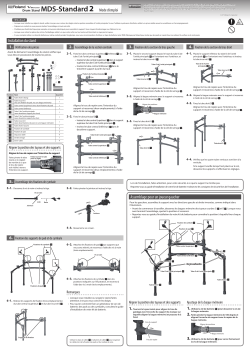
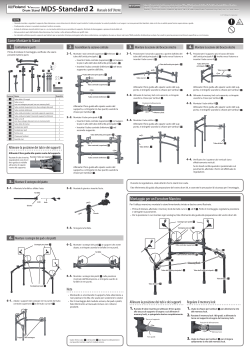

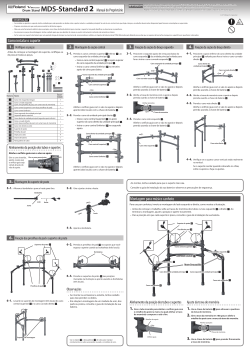
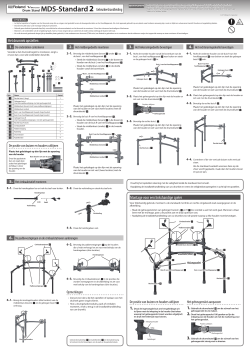

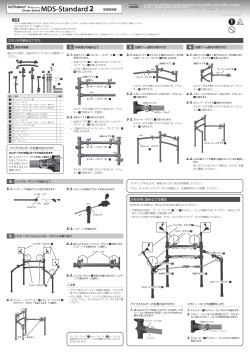
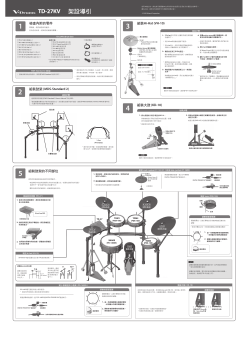

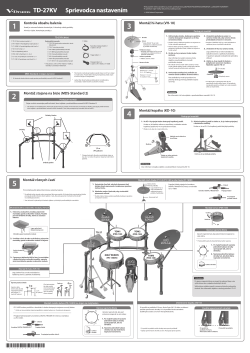
Roland TD-27KV V-Drums Návod na obsluhu
Бренд:
Roland
Размер:
2 MB
Страниц:
30
Язык(и):
Словацкий
Оглавление
-
4
Popis panelov
-
6
Pripojenie zariadení
-
6
Zadný panel
-
7
Bočný panel
-
8
Príprava
-
8
Ako namontovať TD-27 na stojan
-
8
Zapnutie/vypnutie
-
8
Zapnutie
-
8
Vypnutie
-
9
Úprava nastavení hi-hatu
-
9
Nastavenia v prípade VH-10/VH
-
9
Nastavenia v prípade VH
-
10
Techniky hrania
-
10
Malý bubon/tomy
-
11
Hi-hat
-
11
Činely
-
12
Voľba bicieho kitu
-
12
Čo sú „bicie kity“ a „nástroje“?
-
12
Voľba bicieho kitu
-
13
Hranie v sprievode skladby
-
13
prostredníctvom smartfónu
-
14
Hranie v sprievode skladby
-
15
Cvičenie
-
15
Aktivácia kliku (metronómu)
-
15
Zapnutie/vypnutie kliku
-
15
Cvičenie v režime COACH
-
15
Hranie v súlade s rytmom (TIME CHECK)
-
16
COUNT)
-
17
WARM UPS
-
18
Nahrávanie
-
18
Zaznamenanie hrania
-
18
Nahrávanie zároveň s prehrávaním skladby
-
19
Nahrávanie s pomocou pripojeného počítača
-
19
Inštalácia USB ovládača
-
20
Úprava bicieho kitu
-
20
umožňujúcich úpravu zvuku
-
21
Úprava nastavení s pomocou tlačidla [KIT EDIT]
-
22
SAMPLE)
-
22
Importovanie audio súboru
-
23
jeho použitie
-
24
Rôzne nastavenia (SYSTEM)
-
24
Základné možnosti v rámci nastavení SYSTEM
-
24
Formátovanie SD karty
-
25
Zálohovanie dát
-
25
Záloha dát na SD kartu
-
25
Načítanie zálohovaných dát z SD karty
-
26
Nastavenie funkcie Auto Off
-
26
Obnova továrenských nastavení
-
27
Riešenie problémov
-
29
BEZPEČNÉ POUŽÍVANIE ZARIADENIA
-
30
DÔLEŽITÉ POZNÁMKY
Открыть в новой вкладке

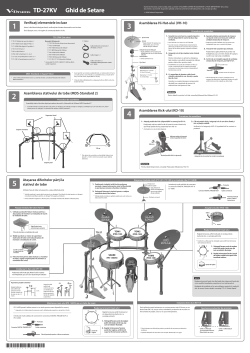
Roland TD-27KV V-Drums Ghid de inițiere rapidă
Бренд:
Roland
Размер:
3 MB
Страниц:
30
Язык(и):
Румынский
Оглавление
-
4
Descrierea Panoului
-
6
Conectarea Echipamentului Dvs
-
6
Panoul din Spate
-
7
Panoul Lateral
-
8
Pregătirea
-
8
Montarea TD-27 pe Stativ
-
8
Pornirea și Oprirea Alimentării
-
8
Pornirea Alimentării
-
8
Pornirea și Oprirea Alimentării
-
9
Efectuează Setărilot Hi-Hat-ului
-
9
Setări pentru VH-10 / VH
-
9
Setări pentru VH
-
10
Despre Tehnicile de Interpretare
-
10
Snare / Tomuri
-
11
Hi-Hat
-
11
Cinele
-
12
Selectarea unui Kit de Tobe
-
12
Ce sunt “Drum Kits” și “Instruments”?
-
12
Selectarea unui Kit de Tobe
-
13
Interpretarea Acompaniată de o Melodie
-
13
Smartphone
-
13
Conectarea unui Cablu la Mufa MIX IN
-
13
Conectarea Wireless prin Bluetooth
-
14
Interpretarea Acompaniată de o Melodie
-
15
Exersarea
-
15
Redarea unui Click (Metronom)
-
15
Activarea/Dezactivarea Click-ului
-
15
Exersarea în Modul Coach
-
15
Interpretarea Corectă în Timp cu Ritmul (TIME CHECK)
-
16
(QUIET COUNT)
-
17
ÎNCĂLZIREA
-
18
Înregistrarea
-
18
Înregistrea unei Interpretări
-
18
Melodie
-
19
Înregistrarea pe un Computer Conectat
-
19
Instalarea Driver-ului USB
-
20
Editarea unui Kit de Tobe (MENU)
-
20
Editarea cu Butonul de Modificare a Sunetului
-
21
Editarea cu Butonul [KIT EDIT]
-
22
Importarea și Redarea Fișierelor Audio (USER SAMPLE)
-
22
Importarea unui Fișier Audio
-
23
Instrument și Redarea Acestuia
-
24
Setări Diverse (SYSTEM)
-
24
Operațiuni de Bază în SISTEM
-
24
Formatarea unui Card SD
-
25
Salvarea de Rezervă a Datelor
-
25
Copierea de Rezervă a pe un card SD
-
25
Încărcarea Datelor de Rezervă de pe un Card SD
-
26
Setarea Funcției AUTO OFF
-
26
Restaurarea Setărilor din Fabrică
-
27
Depanarea
-
29
FOLOSIREA ÎN CONDIȚII DE SIGURANȚĂ A UNITĂȚI
-
30
NOTE IMPORTANTE
Открыть в новой вкладке

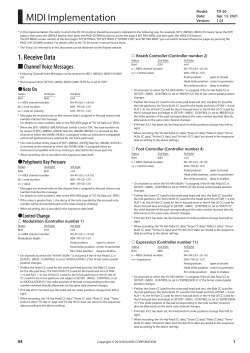
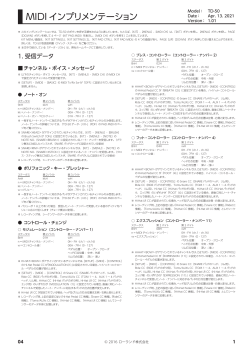
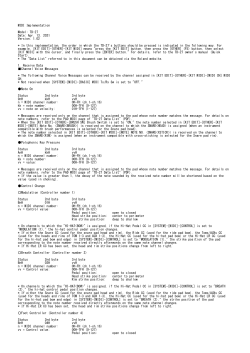


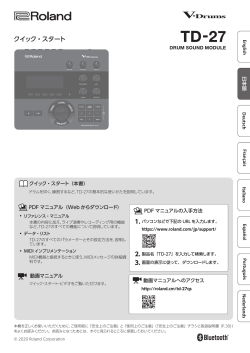
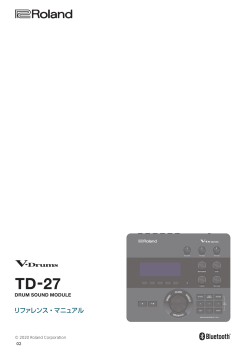

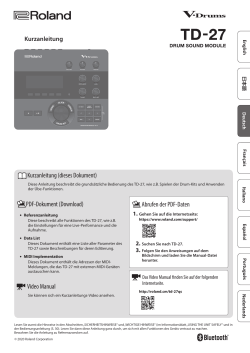

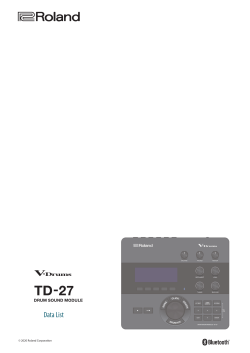
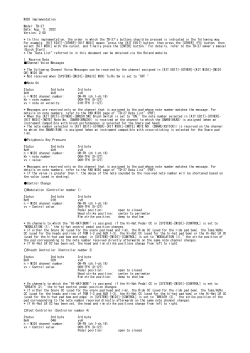
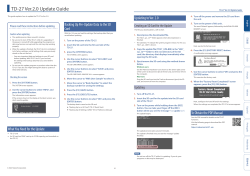
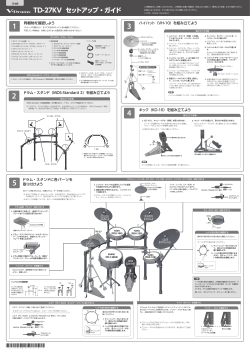
TD-27KV
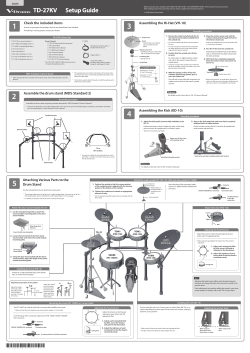
Check the included items
1
As soon as you open the package, check to see that all items are included.
If anything is missing, please contact your dealer.
TD-27KV (Drum Set)
8 TD-27 (Drum sound module) x 1
Owner’s Manuals
8 TD-27KV Setup Guide (this document)
8 PD-140DS (V-Pad digital snare) x 1
8 TD-27 Quick Start
8 CY-18DR (V-Cymbal digital ride) x 1
8 PD-140DS Owner’s Manual
8 VH-10 (V-Hi-hat) x 1
8 CY-18DR Owner’s Manual
8 KD-10 (Kick Pad) x1
8 VH-10 Owner’s Manual
8 PDX-100 (V-Pad) (tom1, 2, 3) x 3
8 KD-10 Owner’s Manual
8 CY-12C (V-Cymbal for crash 1) x 1
8 PDX-100 Owner’s Manual
8 CY-13R (V-Cymbal for crash 2) x 1
8 CY-13R / CY-12C Owner’s Manual
* The TD-27/PD-140DS/CY-18DR accessories are in
the respective packing cartons.
MDS-Standard 2 (Drum Stand)
* When checking the items included with the drum stand, refer to «MDS-Standard 2 Owner’s
Manual. «
Assemble the drum stand (MDS-Standard 2)
2
Assemble the drum stand using the procedure described in «MDS-Standard 2 Owner’s Manual. «
* This drum set illustration is for a right-handed player. If you want to set up for a left-handed player, assemble it as described in «Assembly
for a left-handed player» in «MDS-Standard 2 Owner’s Manual. «
Cymbal mounts
Mount holder
Pad mounts
Attaching Various Parts to the
5
Drum Stand
Use the included drum key to attach the various parts.
* The settings explained in this guide are for a right-handed player. If you want to set up for a
left-handed player, refer to «Assembly for a Left-Handed Player» in the next page.
* For details on each part, refer to the owner’s manual of each part.
Attach the drum sound module (TD-27)
1.
Use the included wing bolts to attach the
sound module mounting plate to the drum
sound module.
Roland logo faces
outward
Sound module mounting plate
2.
Loosen the hand knob of the drum stand
mount holder, and insert the sound module
mounting plate.
Hand knob of
mount holder
3.
Using the drum key included with the drum
sound module, adjust the angle of the sound
module mounting plate.
Installing the hi-hat (VH-10)
Position it so that the Roland logo on the farther
side, as viewed from the player.
Adjusting the position of the cymbal
Attach the cymbal
so that its center
Adjust the height
does not extend
of the rod so that
toward the back
the highest point
1.2 m
beyond the pipes
of the cymbal is
(47 inches)
of the stand (the
less than 1.2 meters
pipes at the back
(47 inches).
of the stand).
Mounting the snare (PD-140DS) on a snare stand
The PD-140DS can only be used with a commercially available snare stand.
* Make sure that the snare stand you are using is able to support a 14-inch shell.
Insert the plug of the connection cable into the PD-140DS’s DIGITAL TRIGGER
OUT connector.
Protector
DIGITAL TRIGGER OUT connector
Connection cable
Use the protector to lock the connection.
*
5
1
0
0
0
6
8
7
9
1
—
0
1
*
Setup Guide
8 Cables
Dedicated connection cable x 1
(Packed with the TD-27)
Trigger cable x 1
Connection cable x 2
(Packed in the respective cartons
of the PD-140DS and CY-18DR)
* This package does not include a kick pedal, a hi-hat stand, and a
snare stand. Use with a commercially available kick pedal, hi-hat
stand, and snare stand.
* The drum key used to attach the pads is inside the packing carton
of the drum sound module.
Assembly procedure
1.2 m
(47 inches)
* For reasons of safety, do not spread the drum stand
wider than 1.2 meters (47 inches). Doing so can cause
the stand to fall over.
1.
Position the cymbal so that the convex portion
of the cymbal mount is aligned with the concave
portion of the bottom of the cymbal.
2.
Tighten the cymbal nut to obtain an appropriate
amount of sway.
* Use the cymbal nut and felt washer that are included with the
drum stand.
CRASH1
(CY-12C)
TD-27
HI-HAT
(VH-10)
OK
Adjusting the head tension
6
8
Adjust the tension so that the pad
responds to your strikes with the
4
1
appropriate feel.
2
3
1.
Adjust each tuning bolt little
by little, across the head as
7
5
indicated in the illustration.
2.
Adjust the tightness of each
tuning bolt so that the head is
tuning bolt
tensioned evenly.
Before using this unit, carefully read «USING THE UNIT SAFELY» and «IMPORTANT NOTES» of this document and accessories.
After reading, keep the document(s) where it will be available for immediate reference.
© 2020 Roland Corporation
Assembling the Hi-Hat (VH-10)
3
Clutch Screw
Hi-Hat
* «Roland» logo on the farther
side, as viewed from the
player
Motion Sensor Unit
* CONTROL OUT jack on the farther
side, as viewed from the player
Insulating Plate
* Sponge side up
Cymbal Rod
Compatible Stands
Diameter: 6.0–7.0 mm
(1/4 to 5/16 inches)
Diameter: 11.7 mm
(1/2 inches) Max.
Assembling the Kick (KD-10)
4
1.
Attach the kick pedal (commercially available) to the
KD-10.
Position the beater so that it strikes the center of the head,
then secure the kick pedal and KD-10 firmly in place.
* Take care not to pinch your fingers.
Beater
Reference
For details on the kick, refer to «KD-10 Owner’s Manual. «
Attach the crash cymbal (CY-12C / CY-13R) and ride cymbal (CY-18DR)
Cymbal nut
Felt washer
«Roland» logo on
the farther side, as
viewed from the
player
Convex portion
CRASH2
(CY-13R)
TOM1
TOM2
(PDX-100)
(PDX-100)
SNARE
TOM3
(PD-140DS)
(PDX-100)
KICK
(KD-10)
If you’re using this unit on a V-Drums mat, on a Noise Eater (NE-10), or on
carpet, extending the anchor bolts will secure the unit in place, making it
easier for you to perform.
* When used on flooring, the anchor bolts may damage the floor.
* The tips of the anchor bolts are sharp. Handle with care.
Assembly procedure
1.
Remove the clutch included with the hi-
4.
Place the motion sensor unit with the
hat stand (commercially available) from
cymbal rod passing through the hole of
the cymbal rod.
the motion sensor unit.
* The clutch included with the hi-hat stand will not
* Position the CONTROL OUT jack on the farther side,
be used.
as viewed from the player.
* It is not necessary to remove the felt component
(or rubber portion) on the hi-hat stand used for
5.
Pass the hi-hat over the cymbal rod.
supporting the bottom cymbal.
Positioning the «Roland» logo on the farther
2.
Confirm that the cymbal rod is firmly
side, as viewed from the player will provide
secured.
the best sensitivity.
For instructions on tightening the cymbal
6.
With the hi-hat completely separated
rod, refer to the owner’s manual for your
from the motion sensor unit, power-on
cymbal stand.
the TD-27.
* Looseness or play in the cymbal rod can make the
top hi-hat unstable, causing it to shake or turn, and
prevent proper functioning.
3.
Separated
With the sponge surface of the anti-
vibration plate facing upward, pass it
over the cymbal rod.
This will rest on top of the felt component (or
* When turning the VH-10 upside down, protect the
clutch and the sensor from damage. Handle the unit
rubber portion) of the hi-hat stand’s cymbal
with care so that it is not dropped or overturned.
receiver.
Reference
For details on the hi-hat, refer to «VH-10 Owner’s Manual. «
Assembly procedure
2.
Step on the kick pedal and make sure that it’s properly
attached and in a stable position.
Check to make sure that the KD-10 and the kick pedal both
make contact with the floor.
Beater must hit the center
of the striking surface
Check to be sure they’re making contact with the floor
Install the kick pedal securely.
Insert the plug of the connection cable
into the CY-18DR’s DIGITAL TRIGGER OUT
connector.
DIGITAL TRIGGER OUT connector
Attach the toms (PDX-100)
Loosen
Tighten
Adjusting the head tension
Adjust the tension so that the pad responds to your
strikes with the appropriate feel.
RIDE
* Before using the pad, tighten the head so that the tension is
(CY-18DR)
rather firm.
1
3
6
4
2
tuning bolt
NOTE
Adjusting the head tension affects only the head response,
and does not change the pitch of the sound as it would on an
acoustic drum.
Pitch adjustments are made by editing the sound in your drum
sound module. For details, refer to the «TD-27 Quick Start. «
Installing the kick (KD-10)
Adjusting the anchor bolts
When using on
the V-Drums mat,
Noise Eater, or carpet
clutch screw
motion sensor unit
Protector
Connection cable
Use the protector
to lock the
connection.
Rod
1.
Adjust each tuning bolt little
by little, across the head as
indicated in the illustration.
5
2.
Adjust the tightness of each
tuning bolt so that the head is
tensioned evenly.
When using on the
floor
инструкцияRoland TD-27KV

Reference Manual
© 2020 Roland Corporation

Руководство пользователя
67 страниц(ы)
EN

Инструкция по установке
2 страниц(ы)
EN
Посмотреть инструкция для Roland TD-27KV бесплатно. Руководство относится к категории Драм-машины, 1 человек(а) дали ему среднюю оценку 7.5. Руководство доступно на следующих языках: английский. У вас есть вопрос о Roland TD-27KV или вам нужна помощь? Задайте свой вопрос здесь
- Overview of the TD-27
- Panel Descriptions
- Connect Your Equipment
- Getting Ready
- About Performance Techniques
- Performing
- Performing Along with a Song
- Practicing
- Recording
- Editing a Drum Kit
- Making Various Settings (SYSTEM)
- Error Messages
- Troubleshooting
Нужна помощь?
У вас есть вопрос о Roland а ответа нет в руководстве? Задайте свой вопрос здесь Дай исчерпывающее описание проблемы и четко задайте свой вопрос. Чем детальнее описание проблемы или вопроса, тем легче будет другим пользователям Roland предоставить вам исчерпывающий ответ.
Количество вопросов: 0


Главная
| Roland | |
| TD-27KV | |
| Драм-машина | |
| английский | |
| Руководство пользователя (PDF), Инструкция по установке (PDF) |
Не можете найти ответ на свой вопрос в руководстве? Вы можете найти ответ на свой вопрос ниже, в разделе часто задаваемых вопросов о Roland TD-27KV.
Инструкция Roland TD-27KV доступно в русский?
Не нашли свой вопрос? Задайте свой вопрос здесь
Нет результатов

Roland TD-1DMK
инструкция12 страниц(ы)

Roland TR-6S
инструкция39 страниц(ы)

Roland TR-8S
инструкция52 страниц(ы)

Roland TR-08
инструкция4 страниц(ы)

Roland CY-5
инструкция8 страниц(ы)

Behringer RD-6
инструкция30 страниц(ы)

Roland Drumatix TR-06
инструкция2 страниц(ы)

Erica Synths Perkons HD-01
инструкция34 страниц(ы)

Roland PM-03
инструкция32 страниц(ы)

Roland CY-14C
инструкция16 страниц(ы)
Посмотреть все Roland руководства Посмотреть все Roland Драм-машина руководства
Roland TD-27KV Kit — ударная установка для любителей и студентов. Модуль TD-27 работает с алгоритмами PSM (Prismatic Sound Modeling) и PAA (PureAcoustic Ambience) и воспроизводит тембры самого высокого качества, а также позволяет эмулировать реверберацию разных типов помещений. Помимо предустановленных пресетов, пользователь может сделать собственную конфигурацию голосов с любыми возможными комбинациями тембров.
Модуль имеет режим обучения, в который загружены различные упражнения на развитие техники, времени и координации. Количество голосов можно расширить с помощью трех aux-выходов. Возможна многоканальная запись материала в любой DAW. Модуль оборудован встроенным USB-аудиоинтерфейсом, который поддерживает передачу до 28 аудиоканалов. Загружать дополнительные семплы также можно по Bluetooth.
Установка проектировалась с ориентиром на акустические инструменты. Пэды тарелок реагируют на игру в плоскость и край, а малый барабан считывает римшоты. Натяжение пластиков при необходимости регулируется. Хэт на 12″ устанавливаются на стандартную стойку для хай-хэта, а райд 18″ и крэши на 12″ и 13″ крепятся на раму, которая идет в комплекте.
Особенности TD-27KV Kit:
- Встроенный Bluetooth-интерфейс;
- Тренировочный режим;
- 100 пресетов;
- Алгоритмы Roland PSM (Prismatic Sound Modeling) и PAA (PureAcoustic Ambience).
Драйверы:
Скачать с официального сайта производителя
- Roland
- Ударные Roland
- Ударные установки Roland
Файлы для скачивания
- Инструкция для Roland TD-27KV(англ.) (PDF 3 Мб 878 Кб)