
-
Contents
-
Table of Contents
-
Bookmarks
Quick Links
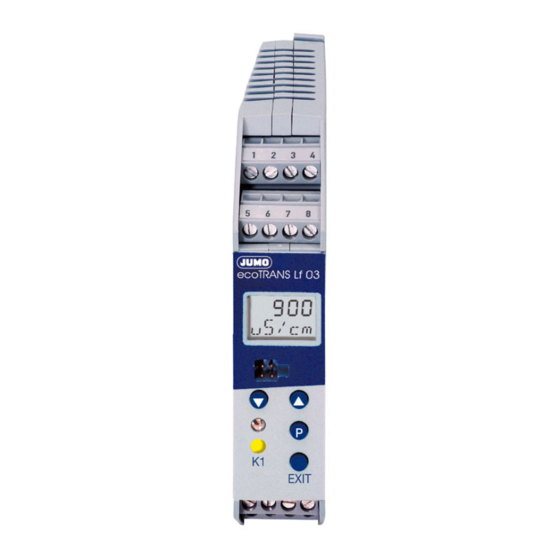
ecoTRANS Lf 03
Transmitter /
Switching Device
for Conductivity
Type 202732
B 20.2732.0
Operating Manual
02.05/00429233
Related Manuals for JUMO ecoTRANS Lf 03
Summary of Contents for JUMO ecoTRANS Lf 03
-
Page 1
Lf 03 Transmitter / Switching Device for Conductivity Type 202732 B 20.2732.0 Operating Manual 02.05/00429233… -
Page 3: Table Of Contents
Notes ……… . 5 Identifying the instrument version .
-
Page 4
Display and LED messages ….. . . 59 12.1 Operating states of the JUMO ecoTrans Lf 03 ….59 12.2 Underrange . -
Page 5: Notes
1 Notes All necessary settings are described in this Operating Manual. However, if any difficulties should still arise during start-up, please do not carry out any manipulations on the unit. You could endanger your rights under the instrument warranty! Please contact the nearest subsidiary or the head office in such a case.
-
Page 6: Identifying The Instrument Version
The supply voltage must correspond to the voltage given on the nameplate. 2.1 Type designation (1) Basic type 202732 JUMO ecoTRANS Lf 03, Microprocessor transmitter / switching device for conductivity (freely programmable ranges) (2) Output I (conductivity / resistivity) analog signal output, freely programmable…
-
Page 7: Installation
3 Installation °C £ 75 4 Electrical connection The choice of cable, the installation, the fusing and the electrical connection must conform to the requirements of VDE 0100 “Regulations on the Installation of Power Circuits with Nominal Voltages below 1000 V” or the appropriate local regulations. The electrical connection must only be carried out by qualified personnel.
-
Page 8
The load circuit must be fused for the maximum relay current, in order to prevent the output relay contacts becoming welded in the event of a short circuit. Do not connect any additional loads to the screw terminals for the supply of the instrument. Any electrical connection other than that specified in the connection diagram may result in the destruction of the instrument. -
Page 9
Terminal assignment EXIT Outputs Terminals Symbol Analog signal output for conductivity (electrically isolated) Analog signal output for temperature (electrically isolated) -
Page 10
common Relay n.c. (break) n.o. (make) Ö Open-collector output 1 (electrically isolated) Open-collector output 2 (electrically isolated) Measurement Terminals Symbol inputs Conductivity outer electrode, cell on coaxial cells inner electrode, on coaxial cells Resistance temperature sensor thermometer in 2-wire circuit Resistance temperature sensor thermometer… -
Page 11
Supply Terminals Symbol Supply voltage (with reverse- polarity protection) Connection of the conductivity cell Conductivity cell JUMO (JUMO types) ecoTRANS Lf 03 Plug-in head Attached cable Outer electrode white Inner electrode brown Temperature yellow compensation green… -
Page 12: Commissioning
Note After initializing the controller, the output signal is 0 V or 0 mA. The logic outputs or relays are in the quiescent state (inactive). After approx. 2 sec, the JUMO ecoTRANS Lf 03 operates according to its configuration.
-
Page 13: Setting / Altering The Instrument Functions
6 Setting / altering the instrument functions Alterations can be carried out in the setup program or from the keys of the JUMO ecoTRANS Lf 03. 6.1 Actual-value display The actual value is displayed either in the — static mode or in the…
-
Page 14: Operation
6.2 Operation The operation of the instrument is arranged on levels. The access to all levels (exception: operator level) is protected by different codes At the operator level (USER), all parameters can be viewed or altered in accordance with the user rights (see enabling level).
-
Page 15
— In order to alter a parameter, it must be enabled at the enabling level (set from “rEAd” to “Edit”). — Press the UP or DOWN key to increase or decrease the value. — Accept the value by pressing the P key. — Use the EXIT key to cancel the entry and change to the next- higher level. -
Page 16: Level Selection
6.4 Level selection see Chapter 6.5 “The operator level (USER)”, page 17 see Chapter 6.6 “The administrator level (ADMIN)”, page 18 see Chapter 6.7 “The enabling level (RIGHT)”, page 19 see Chapter 6.8 “The calibration level (CALIB)”, page 20 or time-out (automatic return after 60 sec without operator action)
-
Page 17: The Operator Level (User)
6.5 The operator level (USER)
-
Page 18: The Administrator Level (Admin)
6.6 The administrator level (ADMIN)
-
Page 19: The Enabling Level (Right)
6.7 The enabling level (RIGHT) Parameters at the operator level (USER) Value is shown can be altered EDIT READ…
-
Page 20: The Calibration Level (Calib)
6.8 The calibration level (CALIB) see Chapter 8 “Calibration”, page 41. see Chapter 8.4 “Calibrating the temperature coefficient using automatic temperature measurement”, page 44 or Chapter 8.5 “Calibrating temperature coefficient using manual temperature entry”, page 47. see Chapter 8.6 “Calibrating the relative cell constant”, page 49. The time-out function is not active during calibration!
-
Page 21: Setting Ranges
7 Setting ranges 0 — 1 µS to 0 — 200 mS, depending on the cell constant Unit 0 = S/cm 1 = mho/cm Cell Range constant 0 – 1.000 µS/cm 0 – 1.000 µmho/cm 0 – 2.00 µS/cm 0 – 2.00 µmho/cm 0.01 0 –…
-
Page 22
Unit 2 = kΩ*cm 3 = MΩ*cm Cell Range constant 1000 – 9999 kΩ*cm 1.00 – 99.99 MΩ*cm 500 – 9999 kΩ*cm 0.50 – 50.00 MΩ*cm 0.01 200 – 9999 kΩ*cm 0.20 – 20.00 MΩ*cm 50 – 2500 kΩ*cm 0.05 – 2.50 MΩ*cm 200 –… -
Page 23: Configurable Parameters
8 Configurable parameters…
-
Page 41: Calibration
8 Calibration 8.1 General The cell constants of conductivity cells stray somewhat depending on the type and additionally change during operation (due to deposits such as lime, or as a result of wear). This results in a change of the output signal from the cell. It is therefore necessary that the user is able to compensate for the deviations of the cell constant from the nominal value, either by manual entry or an automatic calibration of the cell constant K…
-
Page 42: Activating The Calibration Mode
8.2 Activating the calibration mode The setup interface and the measurement inputs for conductivity and temperature are not electrically isolated. This means that, in unfavorable conditions, equalizing currents may flow when the PC interface is connected. These equalizing currents may result in damage to the devices connected.
-
Page 43: Selecting The Calibration Procedure
or Chapter 6.8 “The calibration level (CALIB)”, page 20 The code for enabling the calibration mode is: Start the calibration in the setup program. 8.3 Selecting the calibration procedure Calibrating the temperature coefficient Confirm selection with continue with Chapter 8.4 “Calibrating the temperature coefficient using automatic temperature measurement”, page 44 Chapter 8.5 “Calibrating the temperature coefficient using manual temperature entry”, page 47…
-
Page 44: Calibrating The Temperature Coefficient Using Automatic Temperature Measurement
8.4 Calibrating the temperature coefficient using automatic temperature measurement Note During calibration, the reference temperature and the working temperature can be approached in any sequence. Immerse the conductivity cell and the temperature sensor in the medium to be measured. blinks The currently measured temperature is displayed.
-
Page 45
— the current value can be accepted immediately by pressing the key (for less than 1 second). — When the first calibration point has been accepted, the lower line will show NEXT. Press the key. Temper the medium to be measured to the working temperature. — The LC display shows the temperature in the upper line, and the uncompensated conductivity in the line below. -
Page 46
discard it by pressing the EXIT key. — The instrument will now show the currently present conductivity (the actual value). Note Possible errors: 2 identical calibration points or temperature coefficient larger than 5.5% — The instrument indicates an error. After pressing the key or EXIT, the selected calibration procedure is shown (see Chapter 8.3 “Selecting the calibration procedure”, page 43). -
Page 47: Calibrating The Temperature Coefficient Using Manual Temperature Entry
8.5 Calibrating the temperature coefficient using manual temperature entry Note During calibration, the reference temperature and the working temperature can be approached in any sequence. Immerse the conductivity cell and the temperature sensor in the medium to be measured. blinks WORK.T shows you that the working temperature that will be used later on has to be entered.
-
Page 48
— When the first calibration point has been accepted, NEXT will be shown in the bottom line. Press Temper the medium to the working temperature. — The uncompensated conductivity is shown in the bottom line in the LC display. The current value can be accepted immediately by pressing (for less than 1 second). -
Page 49: Calibrating The Relative Cell Constant
Note Possible errors: 2 identical calibration points or temperature coefficient larger than 5.5% — The instrument indicates an error. After pressing the key or EXIT, the selected calibration procedure is shown. 8.6 Calibrating the relative cell constant General Because of manufacturing variations, each conductivity cell has a real cell constant which deviates slightly from the ideal nominal cell constant.
-
Page 50
Immerse the conductivity cell into a solution with a known conductivity. approx. 3 sec — The uncompensated conductivity of the reference solution (actual value) and CAL.C are shown in alternation. As soon as the value displayed is stable: press (for less than 1 second). -
Page 51
outside 20 — 500%. < 20% Conductivity = 0 > 500% The instrument indicates an error. After pressing or EXIT, the selected calibration procedure is shown (see Chapter 8.3 “Selecting the calibration procedure”, page 43). The latest valid measurement continues to be active. -
Page 52: Analog Output
9 Analog output The analog outputs are configured at the operator level (USER) or the administrator level (ADMIN) in CO.OUT (conductivity output) TE.OUT (temperature output) see Chapter 6.5 “The operator level (USER)”, page 17. 9.1 Response during calibration You can choose between “following” or “unchanged” (constant). 9.2 Response of the output signal in fault condition Depending on the configuration, the output signal can adopt the LOW or HIGH condition in the event of a fault.
-
Page 53: Response Of The Output Signal On Leaving The Scaling Range
10 — 2 V 1.8 V 9.4 Manual operation of the analog output The JUMO ecoTRANS Lf 03 can output a constant analog signal, for test purposes or commissioning, see also Chapter 10.2 “Manual operation of the relay outputs”, page 54.
-
Page 54: Relay Output / Open-Collector
10 Relay output / open-collector 10.1 Response of the relay Depending on the setting, the JUMO ecoTRANS Lf 03 monitors a limit, similar to a limit comparator (LK), as a MAX LK or MIN LK. The hysteresis is asymmetric with respect to the limit.
-
Page 55
“-” means the corresponding output is not in manual mode. 1st place: analog output for conductivity 2nd place: analog output for temperature 3rd place: logic output 1 4th place: logic output 2 (if available) In the example above, the analog temperature output is in manual mode, all other outputs are not. -
Page 56: Response Of The Relay During Calibration
10.3 Response of the relay during calibration The parameter USER / BIN.1 (or BIN.2) / CAL.1 (or CAL.2) can be used to set the relay response to: relay inactive relay active relay unchanged (during calibration, the relay remains at the status that was valid before the start of the calibration) 10.4 Pulse function of the relay output The limit comparator is reset after an adjustable pulse time.
-
Page 57: The Usp Contact (For High-Purity Water)
USP <645>. If, at a given temperature, the conductivity of the water is higher than specified in the USP table, the USP contact of the JUMO ecoTRANS Lf 03 will switch. The limits are defined in steps; at 8°C, for example, a value of 5°C is applied.
-
Page 58: Usp Pre-Alarm
If the conductivity exceeds the value for the corresponding temperature, the configured contact will switch. 11.1 USP pre-alarm The USP pre-alarm switches before the water quality reaches the set limit. The parameter: USER / BIN.1 / S.USP1 (0 — 100) can be used to define a margin between pre-alarm and USP limit, as a percentage value referred to the active limit.
-
Page 59: Display And Led Messages
12 Display and LED messages 12.1 Operating states of the JUMO ecoTrans Lf 03 Two LEDs indicate the operating states Device status LED red (top) LED yellow (bottom) Normal operation on, when LK1 is active Error blinks on, when LK1 is…
-
Page 60: Short Circuit
12.5 Short circuit 12.6 Initialization of dependent parameters After altering one parameter, other dependent parameters are altered automatically. Please check all dependent parameters! 12.7 Calibration timer has run down In accordance with the specifications (of the plant manufacturer, for example), calibration of the cell constant and/or of the temperature coefficient should be carried out.
-
Page 61: Operation Via Setup Interface
– Windows 2000 ® – Windows XP ® – Windows NT 4.0 or higher JUMO ecoTRANS Lf 03 PC interface cable EXIT JUMO PC setup software multilingual D / GB / F Caution The setup interface and the measurement inputs for conductivity and temperature are not electrically isolated.
-
Page 62: Operation Through Setup
A double-click on the text will call up the corresponding editing window. Customized linearization for the temperature probe A table for 30 value pairs can be used to adapt any temperature probe to the temperature input of the JUMO ecoTRANS Lf 03.
-
Page 63: Technical Data
14 Technical data Conductivity input Electrolytic conductivity cells with the cell constants 0.01; 0.1; 1.0; 3.0; 10.0 (2-electrode principle). The cell constant can be adjusted over the range 20 — 500%. Lead compensation, conductivity input The effect of long cables can be compensated on ranges larger than about 20 mS/cm by entering the lead resistance, within the range from 0.00 to 99.99 Ω.
-
Page 64
A parallel resistor with 8.2 kΩ is required! — NTC 2K25 measuring range: 0 to +150°C resistance: 2.25 kΩ at 25°C A parallel resistor with 8.2 kΩ is required! — KTY11-6 measuring range: -10 to +150°C resistance: 2 kΩ at 25°C — All temperature probes can be connected in 2-, 3- or 4-wire circuit. -
Page 65
Open-collector output contact rating: 100 mA, 35 V DC with resistive load, voltage drop in the switched state ≤ 1.2V, not short-circuit proof A/D converter resolution 14 bit Sampling time 500 msec = 2 measurements per second Ambient temperature error ≤… -
Page 66: Environment / Waste Disposal
DIN rail mounting: PC (polycarbonate) Mounting on a 35 x 7.5 mm DIN rail to EN 60 715 Operating position unrestricted Weight approx. 150g 15 Environment / waste disposal Faulty devices can be returned to JUMO for proper disposal.
8.5
temperature entry . . . . . . . . . . . . . . . . . . . . . . . . . . . . . . . . . . . . . . . 47
8.6
9
Analog output . . . . . . . . . . . . . . . . . . . . . . . . . . . . . . . . . . 52
9.1
9.2
9.3
scaling range . . . . . . . . . . . . . . . . . . . . . . . . . . . . . . . . . . . . . . . . . . 53
9.4
10
11
11.1 USP pre-alarm . . . . . . . . . . . . . . . . . . . . . . . . . . . . . . . . . . . . . . . . . 58
12
12.2 Underrange . . . . . . . . . . . . . . . . . . . . . . . . . . . . . . . . . . . . . . . . . . . . 59
12.3 Overrange . . . . . . . . . . . . . . . . . . . . . . . . . . . . . . . . . . . . . . . . . . . . . 59
12.4 Probe break . . . . . . . . . . . . . . . . . . . . . . . . . . . . . . . . . . . . . . . . . . . 59
12.5 Short circuit . . . . . . . . . . . . . . . . . . . . . . . . . . . . . . . . . . . . . . . . . . . 60
13
14
Technical data . . . . . . . . . . . . . . . . . . . . . . . . . . . . . . . . . . 63
15
. . . . . . . . . . . . . . . . . . . . . . . . . . . . . . . . . . . . . . . . . . . 56
. . . . . . . . . . . . . . . . . . . . . . . . 49
. . . . . . . . . . . . . . . . . . . . . . . . . . . . 60
Specifications:
|
Accompanying Data:
JUMO ecoTRANS Lf 03 Transmitter PDF Operating Manual (Updated: Friday 10th of March 2023 08:33:28 PM)
Rating: 4.7 (rated by 48 users)
Compatible devices: B 90.7027.1, Wtrans p, dTRANS T03 J, CTI-750, Wtrans B, JUMO dTRANS p20 DELTA, dTRANS T06 Ex, MIDAS S21 Ex.
Recommended Documentation:
JUMO ecoTRANS Lf 03: Text of Operating Manual
(Ocr-Read Version Summary of Contents, UPD: 10 March 2023)
-
24, 24 8.1 Inputs 8.1.1 Measurement input for conductivity (submenu CON) Parameter Display Setting range 1 Measurement ranges with nominal cell constant RANGE 01 = 0 – 1 µS/cm K = 0.01 1 / cm 02 = 0 – 2 µS/cm K = 0.01 1 / cm 03 = 0 – 5 µS/cm K = 0.01 1 / cm 04 = 0 – 20 µS/cm K = 0.01 1 / cm 05 = 0 – 5 µS/cm K = 0.1 1 / cm 06 = 0 – 20 µS/cm K = …
-
48, 48 . — When the first calibration point has been accepted, NEXT will be shown in the bottom line. ✱ Press ✱ Temper the medium to the working temperature. — The uncompensated conductivity is shown in the bottom line in the LC display. ✱ The current value can be accepted immediately by pressing (for less than 1 second). — The temperature coefficient that was calculated is dis…
-
22, 22 Unit 2 = kΩ*cm 3 = MΩ*cm Cell constant Range 0.01 1 / cm 1 1000 – 9999 kΩ*cm 1.00 – 99.99 MΩ*cm 1 2 500 – 9999 kΩ*cm 0.50 – 50.00 MΩ*cm 1 3 200 – 9999 kΩ*cm 0.20 – 20.00 MΩ*cm 1 4 50 – 2500 kΩ*cm 0.05 – 2.50 MΩ*cm 2 0.1 1 / cm 5 200 – 9999 kΩ*cm 0.20 – 20.00 MΩ*cm 1 6 50 – 2500 kΩ*cm 0.05 – 2.50 MΩ*cm 1 7 5.0 – 250.0 kΩ*cm — — 2 8 1.0…
-
66, 66 Climatic conditions rel. humidity ≤ 93% no condensation Protection (to EN 60 529) IP20 Electrical safety to EN 61 010 clearance and creepage distances for — overvoltage category II — pollution degree 2 Electromagnetic compatibility to EN 61 326 interference emission: Class B interference immunity: to industrial requirements Housing housing for DIN rail mountin…
-
10, 10 III Relay 1 3 4 common n.c. (break) n.o. (make) Open-collector output 1 (electrically isolated) 1 3 GND + Open-collector output 2 (electrically isolated) 1 4 GND A+ Measurement inputs Terminals Symbol Conductivity cell 14 13 outer electrode, on coaxial cells inner electrode, on coaxial cells Resistance thermometer in 2-wire circuit 9 12 temperature se…
-
58, 58 If the conductivity exceeds the value for the corresponding temperature, the configured contact will switch. 11.1 USP pre-alarm The USP pre-alarm switches before the water quality reaches the set limit. The parameter: USER / BIN.1 / S.USP1 (0 — 100) can be used to define a margin between pre-alarm and USP limit, as a percentage value referred to the active lim…
-
36, 36 8.3 Analog outputs 8.3.1 Conductivity (submenu CO.OUT) Parameter Display Setting range 1 Type of standard signal OUT.CO 0 = 0 — 20 mA 1 = 4 — 20 mA 2 = 20 — 0 mA 3 = 20 — 4 mA 4 = 0 — 10 V 5 = 2 — 10 V 6 = 10 — 0 V 7 = 10 — 2 V Note If the standard signal type OUT.CO is changed, manual operation of the output will be deactivated. 1 The default setting is…
-
40, 40 Response to calibration mode CAL.TE 0 = following 1 = current state is retained Response to fault ERR.TE 0 = LOW (e.g. 0 V) 1 = HIGH (e.g. 10 V) Manual operation of analog output for temperature SIM.TE OFF = no manual mode 0 — 22 mA or 0 — 10.7 V Parameter Display Setting range 1 1 The default setting is shown bold.
… -
61, 61 13 Operation via setup interface Caution The setup interface and the measurement inputs for conductivity and temperature are not electrically isolated. This means that, in unfavorable conditions, equalizing currents may flow when the PC interface is connected. These equalizing currents may result in damage to the devices connected. However, there is no danger if the measurement …
-
43, 43 or Chapter 6.8 “The calibration level (CALIB)”, page 20 or ✱ Start the calibration in the setup program. 8.3 Selecting the calibration procedure Calibrating the temperature coefficient ✱ Confirm selection with . continue with Chapter 8.4 “Calibrating the temperature coefficient using automatic temperature measurement”, page 44 or Chapter 8.5 “Calibrating the…
-
38, 38 8.3.2 Temperature (submenu TE.OUT) Manual operation of the analog output for conductivity SIM.CO OFF = no manual mode 0 — 22 mA or 0 — 10.7 V Parameter Display Setting range 1 Type of standard signal OUT.TE 0 = 0 — 20 mA 1 = 4 — 20 mA 2 = 20 — 0 mA 3 = 20 — 4 mA 4 = 0 — 10 V 5 = 2 — 10 V 6 = 10 — 0 V 7 = 10 — 2 V Note If the standard signal type OUT.TE is changed,…
-
3, 1 Notes . . . . . . . . . . . . . . . . . . . . . . . . . . . . . . . . . . . . . . . . . . 5 2 Identifying the instrument version . . . . . . . . . . . . . . . . . . 6 2.1 Type designation . . . . . . . . . . . . . . . . . . . . . . . . . . . . . . . . . . . . . . . . . 6 3 Installation . . . . . . . . . . . . . . . . . . . . . . . . . . . . . . . . . . . . . . 7 …
-
16, 16 6.4 Level selection 1 or time-out (automatic return after 60 sec without operator action) see Chapter 6.5 “The operator level (USER)”, page 17 see Chapter 6.6 “The administrator level (ADMIN)”, page 18 see Chapter 6.7 “The enabling level (RIGHT)”, page 19 see Chapter 6.8 “The calibration level (CALIB)”, page 20
…
JUMO ecoTRANS Lf 03: Recommended Instructions
Cycle S, Power Elite T3002, LAM3204, L2320A, X163WL, 6000


-
Rev. 1.7 P/N 119-026 1 March 2016 User’s Manual Model 234 Temperature Transmitter and Model 234D Temperature Transmitter/Monitor Includes Coverage for: Model 2308-01 Benchtop Enclosure Model 2308-12 VMEbus Rackmount Case For Use with the Following Lake Shore Sensors: Series CGR Carbon-Glass Resistance Temperature Sensors Series CX Cernox™ Resistance …
234 49
-
FrSky Electronic Co., LtdWebsite: www.frsky-rc.com E-mail: [email protected] Technical Support: [email protected] FrSky Electronic Co., LtdWebsite: www.frsky-rc.com E-mail: [email protected] Technical Support: …
TARANIS Q X7 2
-
February, 2000 Page 1 949-0533Iso Verter®IIModel SC478 and SCL478INSTALLATION INSTRUCTIONSa Division of Dwyer Instruments, IncorporatedPO Box 338 Michigan City, IN 46361-0338(800) 828-4588 (219) 879-8000 FAX (219) 872-9057www.love-controls.com❍❍❍LOVE CONTROLS®LOVE …
LOVE Iso Verter II SC478 8
-
— ABB MEASUREMENT & ANALYTICS | SIL-SAFETY MANUAL TTH200, TTR200, TTF200 Temperature transmitter Additional instructions for IEC 61508 compliant devices Measurement made easy — TTH200 TTR200 TTF200 Introduction TTH200, TTR200, TTF200 electronics for sensor-head, field and rail mounting for standard and high measurement. This document must be c …
TTH200 20
-
®Model 3022TRANSMITTERImportant! ReadBefore InstallationThe MULTI-CODE 3022 transmitter has been designed to provide great reliability and safety, but it must be installed correctly. Read the enclosed instructions carefully.The Model 3022 may be used for a variety of purposes, and wherever remote signaling is desirable, as specied by FCC & IC regulations. If this transmit …
Multi-Code 3022 2
-
SucceX-Force 5.8GHz25mW/100mW/400mW/800mWRXCH ANN EL B AN D PO WER Video Out(7V~36V)Ground (GND)Ground (GND)5V camera output5V Output only for FPV cameras!The RX wire can be linked to any free UART TX on your Flight Controland setup for IRC Tramp VTX telemetry to change parameters ofyour VTX through your OSD.If you experience severe signal interference in your video feed pleas …
SucceX-Force 5.8GHz 2
-
User ManualDigital Wireless SystemsATW-DR3120Dual ReceiverATW-DR3120DANDual Receiver with Dante OutputATW-DT3101Body-Pack TransmitterATW-DT3102Handheld Transmitter (without capsule)3000 Digital Series …
3000 Series 37
-
Instruction Manual Bedienungsanleitung Notice d’emploi Istruzioni per l’uso Instrucciones de uso Gebruiksaanwijzing Manual de utilização VMX 100 3in1VM X 100 VMX 100_PRT.pdf 1 03.05.2007 15:02:09 …
100 Series 21
Additional Information:
Popular Right Now:
Operating Impressions, Questions and Answers:
Download or browse on-line these Operating Manual for JUMO ecoTRANS Lf 03 Transmitter.
Summary of Contents:
 |
[Page 1] JUMO ecoTRANS Lf 03 ecoTRANS Lf 03 Transmitter / Switching Device for Conductivity Type 202732 B 20.2732.0 Operating Manual 02.05/00429233 |
 |
[Page 2] JUMO ecoTRANS Lf 03 … |
 |
[Page 3] JUMO ecoTRANS Lf 03 1 Notes . . . . . . . . . . . . . . . . . . . . . . . . . . . . . . . . . . . . . . . . . . 5 2 Identifying the instrument version . . . . . . . . . . . . . . . . . . 6 2.1 Type designation . . . . . . . . . . . . . . . . . . . . . . . . . . . … |
 |
[Page 4] JUMO ecoTRANS Lf 03 8.5 Calibrating the temperature coefficient using manual temperature entry . . . . . . . . . . . . . . . . . . . . . . . . . . . . . . . . . . . . . . . 47 8.6 Calibrating the relative cell constant . . . . . . . . . . . . . . . . . . . . . . …. |
 |
[Page 5] JUMO ecoTRANS Lf 03 5 1 Notes All necessary settings are described in this Operating Manual. However, if any difficulties should still arise during start-up, please do not carry out any manipulations on the unit. You could endanger your rights under the instrument warr… |
 |
[Page 6] JUMO ecoTRANS Lf 03 6 2 Identifying the instrument version The nameplate with the order code is glued to the side of the housing. The supply voltage must correspond to the voltage given on the nameplate. 2.1 Type designation (1) Basic type 202732 JUMO ecoTRANS Lf 03, Mi… |
 |
[Page 7] JUMO ecoTRANS Lf 03 7 3 Installation 4 Electrical connection The choice of cable, the installation, the fusing and the electrical connection must conform to the requirements of VDE 0100 “Regulations on the Installation of Power Circuits with Nominal Voltages below 100… |
 |
[Page 8] JUMO ecoTRANS Lf 03 8 ❏ The load circuit must be fused for the maximum relay current, in order to prevent the output relay contacts becoming welded in the event of a short circuit. ❏ Do not connect any additional loads to the screw terminals for the supply of the… |
 |
[Page 9] JUMO ecoTRANS Lf 03 9 Terminal assignment Outputs Terminals Symbol I Analog signal output for conductivity (electrically isolated) 5 6 + — II Analog signal output for temperature (electrically isolated) 7 8 + — P K1 EXIT 4321 5876 13 L-L+14 9121110 56 +- 78 +- … |
 |
[Page 10] JUMO ecoTRANS Lf 03 10 III Relay 1 3 4 common n.c. (break) n.o. (make) Open-collector output 1 (electrically isolated) 1 3 GND + Open-collector output 2 (electrically isolated) 1 4 GND A+ Measurement inputs Terminals Symbol Conductivity cell 14 13 outer electrode,… |
 |
[Page 11] JUMO ecoTRANS Lf 03 11 Connection of the conductivity cell Supply Terminals Symbol Supply voltage (with reverse- polarity protection) L- L + Conductivity cell (JUMO types) JUMO ecoTRANS Lf 03 Plug-in head Attached cable Outer electrode white 14 Inner electrode 2 brown … |
 |
[Page 12] JUMO ecoTRANS Lf 03 12 5 Commissioning 5.1 Fundamentals of conductivity measurement Principle of measurement Electrolytic conductivity measuring cells basically consist of two metal plates arranged opposite each other which are immersed in the solution to be measured. … |
 |
[Page 13] JUMO ecoTRANS Lf 03 13 6 Setting / altering the instrument functions Alterations can be carried out in the setup program or from the keys of the JUMO ecoTRANS Lf 03. 6.1 Actual-value display The actual value is displayed either in the — static mode or in the — altern… |
 |
[Page 14] JUMO ecoTRANS Lf 03 14 6.2 Operation The operation of the instrument is arranged on levels. The access to all levels (exception: operator level) is protected by different codes 2 . At the operator level (USER), all parameters can be viewed or altered in accordance with … |
 |
[Page 15] JUMO ecoTRANS Lf 03 15 — In order to alter a parameter, it must be enabled at the enabling level (set from “rEAd” to “Edit”). — Press the UP or DOWN key to increase or decrease the value. — Accept the value by pressing the P key. — Use the EXIT key to cancel … |
 |
[Page 16] JUMO ecoTRANS Lf 03 16 6.4 Level selection 1 or time-out (automatic return after 60 sec without operator action) see Chapter 6.5 “The operator level (USER)”, page 17 see Chapter 6.6 “The administrator level (ADMIN)”, page 18 see Chapter 6.7 “The enabl… |
 |
[Page 17] JUMO ecoTRANS Lf 03 17 6.5 The operator level (USER) |
 |
[Page 18] JUMO ecoTRANS Lf 03 18 6.6 The administrator level (ADMIN) |
 |
[Page 19] JUMO ecoTRANS Lf 03 19 6.7 The enabling level (RIGHT) Parameters at the operator level (USER) Value is shown can be altered EDIT X X READ X — |
 |
[Page 20] JUMO ecoTRANS Lf 03 20 6.8 The calibration level (CALIB) 1 see Chapter 8 “Calibration”, page 41. 2 see Chapter 8.4 “Calibrating the temperature coefficient using automatic temperature measurement”, page 44 or Chapter 8.5 “Calibrating the temperature coeffic… |
 |
[Page 21] JUMO ecoTRANS Lf 03 21 7 Setting ranges 0 — 1 µS to 0 — 200 mS, depending on the cell constant Unit 0 = S/cm 1 = mho/cm Cell constant Range 0.01 1 / cm 1 0 – 1.000 µS/cm 0 – 1.000 µmho/cm 1 2 0 – 2.00 µS/cm 0 – 2.00 µmho/cm 1 3 0 – 5.00 µS/cm 0 – … |
 |
[Page 22] JUMO ecoTRANS Lf 03 22 Unit 2 = kΩ*cm 3 = MΩ*cm Cell constant Range 0.01 1 / cm 1 1000 – 9999 kΩ*cm 1.00 – 99.99 MΩ*cm 1 2 500 – 9999 kΩ*cm 0.50 – 50.00 MΩ*cm 1 3 200 – 9999 kΩ*cm 0.20 – 20.00 MΩ*cm 1 4 50 – 2500 kΩ*cm 0.05 – 2.50 MΩ*cm 2 0.1 1… |
 |
[Page 23] JUMO ecoTRANS Lf 03 23 The parameters can be set through the setup program or on the instrument. When altering one parameter, it may be necessary to adjust other parameters as well, because some parameters are affected by others. Example: When altering the measuring ran… |
 |
[Page 24] JUMO ecoTRANS Lf 03 24 8.1 Inputs 8.1.1 Measurement input for conductivity (submenu CON) Parameter Display Setting range 1 Measurement ranges with nominal cell constant RANGE 01 = 0 – 1 µS/cm K = 0.01 1 / cm 02 = 0 – 2 µS/cm K = 0.01 1 / cm 03 = 0 – 5 µS/cm… |
 |
[Page 25] JUMO ecoTRANS Lf 03 25 Dimensional unit of conductivity UNIT.C 0 = µS/cm or mS/cm 1 = µmho/cm or mmho/cm 2 = kΩ· cm 3 = MΩ· cm Filter constant for conductivity (2nd order filter) DF.CON 0—2—99 seconds Relative cell constant CELL.C 20.00—100—500.0% Paramet… |
 |
[Page 26] JUMO ecoTRANS Lf 03 26 Type of temperature compensation FCT.TC 0 = no compensation 1 = linear compensation 2 = natural water (EN 27 888) 3 = ASTM 1125-95 (neutral contamination) Note If compensation is activated, the USP contact or USP pre-alarm functions are deactiv… |
 |
[Page 27] JUMO ecoTRANS Lf 03 27 Lead compensation for conductivity RO.CON 0.00 — 99.99 Ω Note The effect of long cables for the measuring ranges above approx. 20 mS/cm can be compensated by entering the lead resistance. Actual-value correction for conductivity (offset) OF…. |
 |
[Page 28] JUMO ecoTRANS Lf 03 28 8.1.2 Measurement input for temperature (submenu TEMP) Parameter Display Setting range 1 Probe type SENS 0 = Manual temperature entry 1 = Pt100 2 = Pt1000 3 = NTC 2 kΩ 4 = KTY-10/11-6 5 = NTC 2.25 kΩ 6 = customer-specific Connection type of te… |
 |
[Page 29] JUMO ecoTRANS Lf 03 29 Manual temperature entry MAN.TE -10 to 25 to 250.0°C or 14 to 77 to 482°F Note The default setting depends on the selected temperature unit UNIT.T. Actual-value correction for temperature (offset) OFF.TE -20.00 to 0 to 20.00°C or -36 to 0 to … |
 |
[Page 30] JUMO ecoTRANS Lf 03 30 8.2 Relay / open-collector 8.2.1 Logic output 1 (submenu BIN.1) Parameter Display Setting range 1 Switching function Note Alterations of this parameter will affect: -ALAR.1 — HYS.1. When the USP con- tact or the USP pre- contact is activated, th… |
 |
[Page 31] JUMO ecoTRANS Lf 03 31 Switching point ALAR.1 According to measuring range (in configured unit) 2.00 mS/cm Hysteresis HYS.1. According to measuring range (in configured unit) 0.04 mS/cm (2% of range with range 0 — 2 mS/cm) or 5°C or 9°F Pull-in delay T.ON1 0—2—… |
 |
[Page 32] JUMO ecoTRANS Lf 03 32 Response to fault ERR.1 0 = inactive 1 = active 2 = frozen (relay remains unchanged) Manual mode SIM.1 OFF = no manual mode 0 = inactive 1 = active USP pre-contact S.USP1 0—20—100% Note If the USP contact or the USP pre-contact is activated, … |
 |
[Page 33] JUMO ecoTRANS Lf 03 33 8.2.2 Logic output 2 — option (submenu BIN.2) Parameter Display Setting range 1 Switching function Note Alterations of this parameter will affect: -ALAR.2 — HYS.2. When the USP con- tact or the USP pre- contact is activated, then temperature co… |
 |
[Page 34] JUMO ecoTRANS Lf 03 34 Switching point ALAR.2 According to measuring range (in configured unit) 2.00 mS/cm Hysteresis HYS.2. According to measuring range (in configured unit) 0.04 mS/cm (2% of range with range 0 — 2 mS/cm) or 5°C or 9°F Pull-in delay T.ON2 0—2—… |
 |
[Page 35] JUMO ecoTRANS Lf 03 35 Response to fault ERR.2 0 = inactive 1 = active 2 = frozen (relay remains unchanged) Manual mode SIM.2 OFF = no manual mode 0 = inactive 1 = active USP pre-contact S.USP2 0—20—100% Note If the USP contact or the USP pre-contact is activated, … |
 |
[Page 36] JUMO ecoTRANS Lf 03 36 8.3 Analog outputs 8.3.1 Conductivity (submenu CO.OUT) Parameter Display Setting range 1 Type of standard signal OUT.CO 0 = 0 — 20 mA 1 = 4 — 20 mA 2 = 20 — 0 mA 3 = 20 — 4 mA 4 = 0 — 10 V 5 = 2 — 10 V 6 = 10 — 0 V 7 = 10 — 2 V No… |
 |
[Page 37] JUMO ecoTRANS Lf 03 37 Start value for scaling SCL.CO According to measuring range (in configured unit) 0.00 mS/cm Note Between the scaling start value SCL.CO and the scaling end value SCH.CO there must be a difference of at least 10% of the measuring range. End value… |
 |
[Page 38] JUMO ecoTRANS Lf 03 38 8.3.2 Temperature (submenu TE.OUT) Manual operation of the analog output for conductivity SIM.CO OFF = no manual mode 0 — 22 mA or 0 — 10.7 V Parameter Display Setting range 1 Type of standard signal OUT.TE 0 = 0 — 20 mA 1 = 4 — 20 mA 2 … |
 |
[Page 39] JUMO ecoTRANS Lf 03 39 Start value for scaling SCL.TE -10.0 to 224°C or 14 to 437°F Note Setting range and default setting depend on the selected temperature unit UNIT.T. Between the scaling start value SCL.TE and the scaling end value SCH.TE there must be a differen… |
 |
[Page 40] JUMO ecoTRANS Lf 03 40 Response to calibration mode CAL.TE 0 = following 1 = current state is retained Response to fault ERR.TE 0 = LOW (e.g. 0 V) 1 = HIGH (e.g. 10 V) Manual operation of analog output for temperature SIM.TE OFF = no manual mode 0 — 22 mA or 0 — … |
 |
[Page 41] JUMO ecoTRANS Lf 03 41 8 Calibration 8.1 General The cell constants of conductivity cells stray somewhat depending on the type and additionally change during operation (due to deposits such as lime, or as a result of wear). This results in a change of the output sign… |
 |
[Page 42] JUMO ecoTRANS Lf 03 42 8.2 Activating the calibration mode ✱ Press the + keys or ✱ Change to the calibration level through the menu see Chapter 6.4 “Level selection”, page 16 The setup interface and the measurement inputs for conductivity and temperature a… |
 |
[Page 43] JUMO ecoTRANS Lf 03 43 or Chapter 6.8 “The calibration level (CALIB)”, page 20 or ✱ Start the calibration in the setup program. 8.3 Selecting the calibration procedure Calibrating the temperature coefficient ✱ Confirm selection with . continue with Chapter 8…. |
 |
[Page 44] JUMO ecoTRANS Lf 03 44 8.4 Calibrating the temperature coefficient using automatic temperature measurement Note During calibration, the reference temperature and the working temperature can be approached in any sequence. ✱ Immerse the conductivity cell and the tempe… |
 |
[Page 45] JUMO ecoTRANS Lf 03 45 — the current value can be accepted immediately by pressing the key (for less than 1 second). — When the first calibration point has been accepted, the lower line will show NEXT. ✱ Press the key. ✱ Temper the medium to be measured to the … |
 |
[Page 46] JUMO ecoTRANS Lf 03 46 discard it by pressing the EXIT key. — The instrument will now show the currently present conductivity (the actual value). Note Possible errors: 2 identical calibration points or temperature coefficient larger than 5.5% — The instrument indicates… |
 |
[Page 47] JUMO ecoTRANS Lf 03 47 8.5 Calibrating the temperature coefficient using manual temperature entry Note During calibration, the reference temperature and the working temperature can be approached in any sequence. ✱ Immerse the conductivity cell and the temperature sen… |
 |
[Page 48] JUMO ecoTRANS Lf 03 48 . — When the first calibration point has been accepted, NEXT will be shown in the bottom line. ✱ Press ✱ Temper the medium to the working temperature. — The uncompensated conductivity is shown in the bottom line in the LC display. ✱ The c… |
 |
[Page 49] JUMO ecoTRANS Lf 03 49 Note Possible errors: 2 identical calibration points or temperature coefficient larger than 5.5% — The instrument indicates an error. ✱ After pressing the key or EXIT, the selected calibration procedure is shown. 8.6 Calibrating the relative … |
 |
[Page 50] JUMO ecoTRANS Lf 03 50 ✱ Immerse the conductivity cell into a solution with a known conductivity. — The uncompensated conductivity of the reference solution (actual value) and CAL.C are shown in alternation. ✱ As soon as the value displayed is stable: press (for… |
 |
[Page 51] JUMO ecoTRANS Lf 03 51 outside 20 — 500%. ✱ The instrument indicates an error. After pressing or EXIT, the selected calibration procedure is shown (see Chapter 8.3 “Selecting the calibration procedure”, page 43). The latest valid measurement continues to be… |
 |
[Page 52] JUMO ecoTRANS Lf 03 52 9 Analog output 9.1 Response during calibration You can choose between “following” or “unchanged” (constant). 9.2 Response of the output signal in fault condition Depending on the configuration, the output signal can adopt the LOW or HIGH… |
 |
[Page 53] JUMO ecoTRANS Lf 03 53 9.3 Response of the output signal on leaving the scaling range On leaving the scaling range, the output will, up to a defined limit, produce a proportional signal (as per NAMUR NE43). These limits are listed in the table below: 9.4 Manual operati… |
 |
[Page 54] JUMO ecoTRANS Lf 03 54 10 Relay output / open-collector 10.1 Response of the relay Depending on the setting, the JUMO ecoTRANS Lf 03 monitors a limit, similar to a limit comparator (LK), as a MAX LK or MIN LK. The hysteresis is asymmetric with respect to the limit. 10…. |
 |
[Page 55] JUMO ecoTRANS Lf 03 55 “-” means the corresponding output is not in manual mode. 1st place: analog output for conductivity 2nd place: analog output for temperature 3rd place: logic output 1 4th place: logic output 2 (if available) In the example above, the analo… |
 |
[Page 56] JUMO ecoTRANS Lf 03 56 10.3 Response of the relay during calibration The parameter USER / BIN.1 (or BIN.2) / CAL.1 (or CAL.2) can be used to set the relay response to: 0 = relay inactive 1 = relay active 2 = relay unchanged (during calibration, the relay remains at the… |
 |
[Page 57] JUMO ecoTRANS Lf 03 57 11 The USP contact (for high-purity water) The USP contact enables the monitoring of the high-purity water quality in accordance with the requirements of USP <645>. USP <645> includes a table that specifies a limit for the conductivit… |
 |
[Page 58] JUMO ecoTRANS Lf 03 58 If the conductivity exceeds the value for the corresponding temperature, the configured contact will switch. 11.1 USP pre-alarm The USP pre-alarm switches before the water quality reaches the set limit. The parameter: USER / BIN.1 / S.USP1 (0 —… |
 |
[Page 59] JUMO ecoTRANS Lf 03 59 12 Display and LED messages 12.1 Operating states of the JUMO ecoTrans Lf 03 Two LEDs indicate the operating states 12.2 Underrange Below measuring range 12.3 Overrange Above measuring range 12.4 Probe break Device status LED red (top) LED yellow… |
 |
[Page 60] JUMO ecoTRANS Lf 03 60 12.5 Short circuit 12.6 Initialization of dependent parameters After altering one parameter, other dependent parameters are altered automatically. 12.7 Calibration timer has run down In accordance with the specifications (of the plant manufacturer… |
 |
[Page 61] JUMO ecoTRANS Lf 03 61 13 Operation via setup interface Caution The setup interface and the measurement inputs for conductivity and temperature are not electrically isolated. This means that, in unfavorable conditions, equalizing currents may flow when the PC inter… |
 |
[Page 62] JUMO ecoTRANS Lf 03 62 13.1 Operation through Setup Customized linearization for the temperature probe A table for 30 value pairs can be used to adapt any temperature probe to the temperature input of the JUMO ecoTRANS Lf 03. (1) Navigation tree The navigation tree allo… |
 |
[Page 63] JUMO ecoTRANS Lf 03 63 14 Technical data Conductivity input Electrolytic conductivity cells with the cell constants 0.01; 0.1; 1.0; 3.0; 10.0 1 / cm (2-electrode principle). The cell constant can be adjusted over the range 20 — 500%. Lead compensation, conductivity… |
 |
[Page 64] JUMO ecoTRANS Lf 03 64 A parallel resistor with 8.2 kΩ is required! — NTC 2K25 measuring range: 0 to +150°C resistance: 2.25 kΩ at 25°C A parallel resistor with 8.2 kΩ is required! -KTY11-6 measuring range: -10 to +150°C resistance: 2 kΩ at 25°C — All temperatur… |
 |
[Page 65] JUMO ecoTRANS Lf 03 65 Open-collector output contact rating: 100 mA, 35 V DC with resistive load, voltage drop in the switched state ≤ 1.2V, not short-circuit proof A/D converter resolution 14 bit Sampling time 500 msec = 2 measurements per second Ambient temperature… |
 |
[Page 66] JUMO ecoTRANS Lf 03 66 Climatic conditions rel. humidity ≤ 93% no condensation Protection (to EN 60 529) IP20 Electrical safety to EN 61 010 clearance and creepage distances for — overvoltage category II — pollution degree 2 Electromagnetic compatibility to EN 61 326 … |
 |
[Page 67] JUMO ecoTRANS Lf 03 … |
 |
[Page 68] JUMO ecoTRANS Lf 03 … |