
-
Plusko
- Site Admin
- Сообщения: 233
- Зарегистрирован: Вт ноя 12, 2019 11:32 pm
- Откуда: Москва
Всем привет. Сегодня хочу показать Вам очень простую, но в то же время очень действенную программу Easy samsung FRP tool 2020 v1.

Интерфейс работы очень простой. Супер простой ))
Подключаем к ПК телефон, и в программе нажимаем «Bypass FRP»
На экране появится сообщение, при нажатии на которое откроется браузер. Ну а дальше дело за малым.
Без передергивания сим, вообще без сим. Пользуйтесь.
Скачать Easy Samsung FRP tool 2020
Пример использования программы.
ВАЖНО ТРЕБУЕТСЯ ОТКЛЮЧИТЬ ЦИФРОВУЮ ПОДПИСЬ ДРАЙВЕРОВ
-
Plusko
- Site Admin
- Сообщения: 233
- Зарегистрирован: Вт ноя 12, 2019 11:32 pm
- Откуда: Москва
Ср сен 16, 2020 11:27 am
Bad_Chuma писал(а): ↑Ср сен 16, 2020 10:37 am
На Samsung A530F и A307FN не работает!
Какой лог программы при этом?
-
Plusko
- Site Admin
- Сообщения: 233
- Зарегистрирован: Вт ноя 12, 2019 11:32 pm
- Откуда: Москва
Ср сен 16, 2020 11:47 am
Bad_Chuma писал(а): ↑Ср сен 16, 2020 11:38 am
Searching for Samsung MTP Port
Nothing found
Мда, надо было подробнее рассказать про установку драйверов. Не зря же во второй строчке есть кнопка отключения обязательной проверки цифровой подписи есть.
Распишу чуть позже более подробно.
-

Артур
- Новичок
- Сообщения: 8
- Зарегистрирован: Вс дек 08, 2019 10:16 pm

Ср сен 16, 2020 1:54 pm
Михаил, а где спасибо MobileService365 за его комент )))
MobileService365
Неделю назад (изменено)
Отжал аккаунт. Красава) давно так надо было
P.s у меня же было видео где можно сразу в браузер попасть)
https://youtu.be/A4mOqEV2Nk4
-
Aleks49
- Заглянувший
- Сообщения: 1
- Зарегистрирован: Ср дек 25, 2019 10:55 pm
Ср сен 16, 2020 8:28 pm
Привет всем.
Программа требует установки драйвера без цифровой подписи, вы даете разрешение
и Ваш компьютер может передавать информацию на сайт этой программы.
Поэтому я Вам советую устанавливать ее на машины без банковской информацией или
работать на вертуалках.
-
Albert888
- Заглянувший
- Сообщения: 1
- Зарегистрирован: Чт сен 17, 2020 1:03 am
Чт сен 17, 2020 1:07 am
Всем привет. Подскажите пожалуйста, с помощью данной утилиты можно разблокировать загрузчик лизингового телефона, чтобы в последующем перепрошить кастом, рутовать, сменить имей и т.п?т.е сделать полноценный телефон
-
Plusko
- Site Admin
- Сообщения: 233
- Зарегистрирован: Вт ноя 12, 2019 11:32 pm
- Откуда: Москва
Чт сен 17, 2020 4:42 pm
Albert888 писал(а): ↑Чт сен 17, 2020 1:07 am
Всем привет. Подскажите пожалуйста, с помощью данной утилиты можно разблокировать загрузчик лизингового телефона, чтобы в последующем перепрошить кастом, рутовать, сменить имей и т.п?т.е сделать полноценный телефон
Конечно нет. Эта программа просто запускает браузер на заблокированном телефоне.
- Подробности
- Категория: Прошивка Android
- Создано: 09.12.2021 18:06
- Просмотров: 9916

Всем привет сегодня будем сбрасывать аккаунт гугл на самсунг через Easy Samsung FRP Tools. Это довольна простая и удобная программа. Данная инструкция думаю всем поможет.
Утилита Easy Samsung FRP Tools поможет вам легко открыть браузер и тем самым очень облегчит процесс обхода Гугл аккаунта на устройствах от компании Samsung. Вообще самое сложное для обхода было попасть именно в браузер конечно потом начитаются танцы с бубном, но если постараться, то все получиться.

1. Так скачиваем Easy Samsung FRP Tools устанавливаем и запускаем
2. В начале отключаем проверку подписи драйверов, и нажимаем на кнопку «Disable Drivers Signatures»
3. Перезагружаем компьютер
4. Далее подключаем смартфон (от компании Samsung) к компьютеру в включенном и разблокированном состоянии
5. Потом нажимаем кнопку «Bypass FRP», ждем несколько секунд и на смартфоне откроется браузер
6. Далее для каждой версии самсунг порядок действий разница. Вот некоторые из них:
Samsung S9 Plus
{youtube}9oPBqabdUgY?start=57{/youtube}
Samsung A21s (a217f)
{youtube}l2Cv5vo2nCU{/youtube}
Samsung M215
{youtube}sPb_o-sMv-Y?start=57{/youtube}
-
Комментарии (0)
- Добавить свои
Easy Samsung FRP Tool 2020 v1, v2, and v2.7 are the best for bypassing FRP locks on your Samsung devices. Comparatively, popular FRP bypass applications are available on the market, but it is the best FRP bypass tool. You can easily bypass the FRP lock because you can quickly enter youtube with one click. Then, you can go to the FRP Bypass Page by the Youtube app. The Easy Firmware Team released this Easy Samsung FRP Tool.
You will find the two mirror links on the current page to get the Easy FRP Tool 2020. We have shared it as a zip package that contains the Tools, USB Driver, and Tutorial.
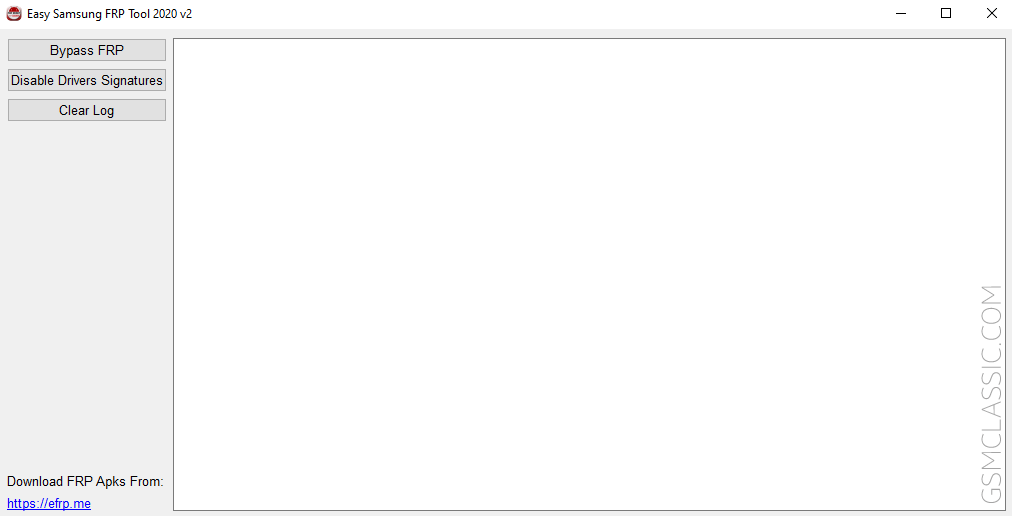
Download Easy FRP Tool 2020 (all versions)
Easy Samsung FRP Tool helps you bypass the Factory Reset Protection (FRP) lock on your Samsung devices. Use any following mirror links to download it.
How to Download: See Example
How to Use: Follow the Tutorial
Compatible With: Windows (x64, x86)
How To Bypass FRP Using Easy Samsung FRP Tool 2020?
- Download and unzip the Easy FRP Tool.
- Then, install the Samsung USB Driver on your computer. If already installed on your computer, then follow the next step.
- Firstly, open the Tool (FRPBypass.exe). As well as follow the next step.
- Secondly, connect your device to MTP mode.
- Thirdly, click on Bypass FRP. As well as follow the next step.
- After clicking on Bypass FRP, you will see a message on your device.
- Finally, click on “View” on your device.
- Now, the Youtube app will open automatically.
- Click on the See Full-Guidelines for the full tutorial.
Feature Of Easy Samsung FRP Tool 2020
[*] Compatible: Easy Samsung FRP Tool is compatible with the Windows operating system and as well as, Windows 11 too.
[*] Simple UI: It is a lightweight application. Likewise, the UI of this tool is straightforward.
[*] Extra Feature: There is no need to install the Samsung USB Driver because the driver will install automatically on your computer.
[*] Popularity: Comparatively, most mobile technicians use the flash tool. We recommend using the Easy Samsung FRP Tool to bypass the Samsung devices because it is the best tool.
Readme once
[*] Recommend: We recommend using the latest version of the Easy Samsung FRP Tool 2020 because the newest version of the tool supports the latest device.
[*] Credits: Full credit deserved by the Easy Firmware Team. Because they created and distributed the tool for free.
[*] Turn Off Antivirus: Turn off your antivirus before using the tool. Otherwise, it doesn’t work correctly.
[*] FRP Bypass APK: If you are looking for the FRP Bypass APK file. Then click here to get the latest FRP Bypass APK.
[*] Samsung USB Driver: If you need to install a Samsung USB driver on your computer and you want to download it online. Then click here to get the latest Samsung USB Driver.
[*] More Tools: We have shared some tools for bypassing or unlocking the FRP lock. i.e., SamFirm Tool, SamFW FRP Tool, and HalabTech Tool.
FAQ
The full meaning of FAQ is frequently asked questions. Also, we have shared some essential answers to the Easy FRP Tool’s question.
What Is Easy FRP Tool?
Ans: Easy FRP Tool is an application to bypass FRP lock on Android devices.
Who Developed This Tool?
Ans: Easy Firmware team developed this FRP bypass tool.
Which Android Version Supports This Tool?
Ans: This FRP tool supports Android 5.1 to Android 13.
Is The Tool Virus or Malware Free?
Ans: This tool is virus or malware free. Because firstly, we must scan using a powerful antivirus before sharing it.
Is It Free or Paid?
Ans: This tool is free. As well as, there is no activation or yearly fee.
How To Fix Installing Drivers Failed Issue?
Ans: It is very simple to fix the issue. Firstly, go to your computer’s Windows setting. Then, go to “Update & Security.” Now, click on “Recovery.” Then, click on “Restart Now.” After booting your computer to recovery mode, select Disable Driver Signature Enforcement.
My Question Is Not Listed On This FAQ Section. What Can I Do?
Ans: Well, describe your question or problem in the comment section on this page. We will try to answer your question.
Tags: FRP Tool
Date
March 18, 2021

Download the latest version of Easy Samsung FRP Tool 2020 2.7 (Updated) with the fastest and one-click direct download link, and learn about its uses and features.
- What is the easy samsung frp tool?
- How to use the easy samsung frp tool?
- Images of the easy samsung frp tool.
- What are the contents of the easy samsung frp tool files?
- Additional information of the easy samsung frp tool.
- Download link of easy samsung frp tool.
What is the easy samsung frp tool?
Easy Samsung FRP Tool 2020 is a freeware program developed by Easy-Team, and the tool was first released in 2020 on the easy-firmware site. And it’s compatible with Windows operating system. The feature of this tool is that it can launch the browser process through Meta mode on Samsung FRP locked device and disable the signatures of the drivers on the Windows operating system. And below is a list of features of this tool.
- Read information (Meta Mode)
- Launch Browser (Meta Mode)
- Disable Driver Signatures
- Clear Log
How to use the easy samsung frp tool?
To launch a web browser on a Samsung Android device via a serial port via a computer or bypass FRP lock, you need to make sure. Samsung USB serial port drivers are installed on your computer system, and you have downloaded and extracted the Easy Samsung FRP tool, and then follow the steps below.
- Launch the program «SamsungFrp2020.exe» setup file.
- Click «Disable Driver Signatures«, and restart your computer system after the driver process is complete.
- After restarting your computer system, relaunch the program setup file.
- Power on your Samsung «FRP-Locked» device and connect it to the computer on the «Start Activation» screen.
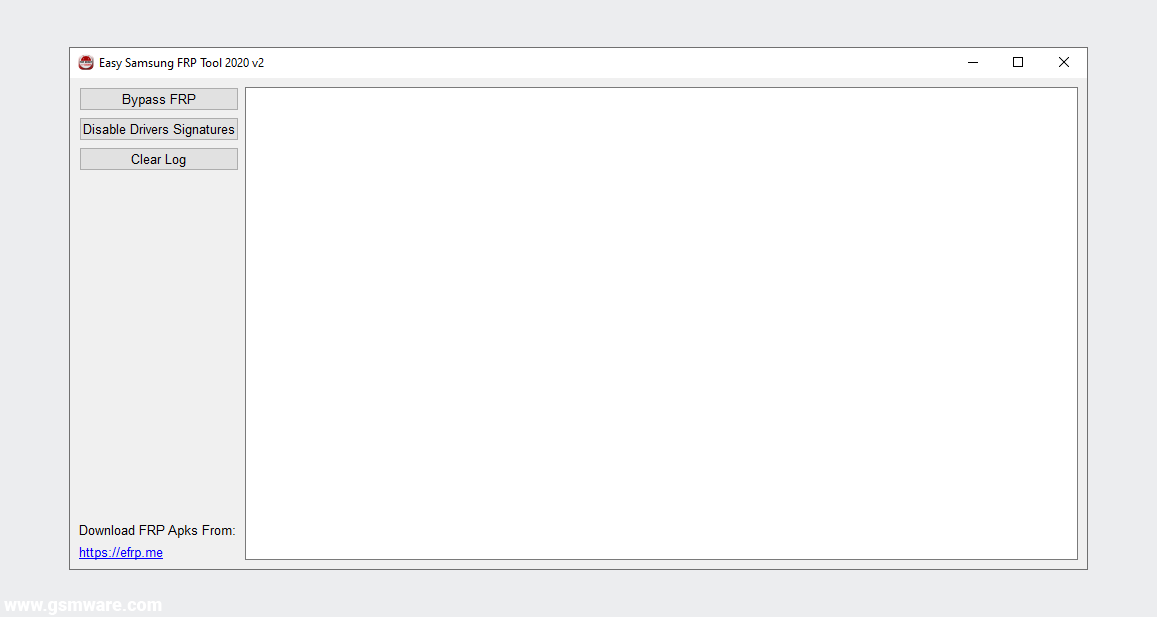
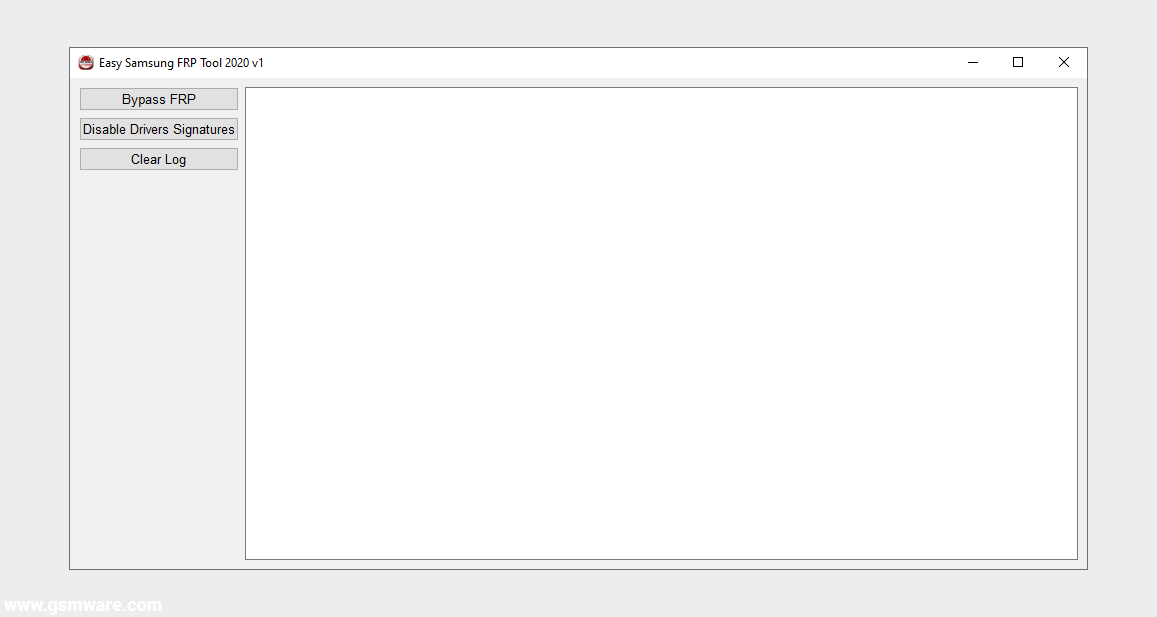
- Click the Bypass FRP button in the tool, it will show you the information of your device in the tool log bar, and on the mobile screen, you will see a pop-up «View» or «Cancel» screen to open the web browser.
- You can click on the «View» option in the popup to launch the web browser and then use any bypass method you like, such as ADB-enabled, Calculator, Screen Lock, APK applications, Or the appropriate method to bypass FRP lock from your device.
Note: You must ensure that you disable anti-virus and all other virus protection programs from your computer system before extracting the compressed file. Otherwise, the program file will be deleted automatically, or the program will not work properly.
Images of the easy samsung frp tool.
You can see different images of this tool by sliding from the image slider below.
What are the contents of the easy samsung frp tool files?
You can see each file’s contents and its type from the content-box of the following file; in some cases, you have to move the scroll up and down to check all the file names and extensions.
-Easy Samsung FRP Tool 2020 V2
bin
drivers
SamsungFrp2020.exe

-bin
cyggcc_s-1.dll
cygusb-1.0.dll
cygwin1.dll
linux-adk.exe

-drivers
amd64
license
x86
install_x64.exe
install_x86.exe
SAMSUNG_Android.cat
SAMSUNG_Android.inf

-amd64
libusb-1.0_x86.dll
libusb0.dll
libusb0.sys
libusb0_x86.dll
libusbK.dll
libusbK.sys
libusbK_x86.dll
WdfCoInstaller01009.dll
winusbcoinstaller2.dll

-license
libusb0
WinUSB

-libusb0
installer_license.txt

-WinUSB
license.rtf

-x86
libusb0.dll
libusb0.sys
libusb0_x86.dll
libusbK.dll
libusbK.sys
WdfCoInstaller01009.dll
winusbcoinstaller2.dll

-Easy Samsung FRP Tool 2020 V1
bin
drivers
SamsungFrp2020.exe

-bin
cyggcc_s-1.dll
cygusb-1.0.dll
cygwin1.dll
linux-adk.exe

-drivers
amd64
license
x86
install_x64.exe
install_x86.exe
SAMSUNG_Android.cat
SAMSUNG_Android.inf

-amd64
libusb-1.0_x86.dll
libusb0.dll
libusb0.sys
libusb0_x86.dll
libusbK.dll
libusbK.sys
libusbK_x86.dll
WdfCoInstaller01009.dll
winusbcoinstaller2.dll

-license
libusb0
WinUSB

-libusb0
installer_license.txt

-WinUSB
license.rtf

-x86
libusb0.dll
libusb0.sys
libusb0_x86.dll
libusbK.dll
libusbK.sys
WdfCoInstaller01009.dll
winusbcoinstaller2.dll
Additional information of the easy samsung frp tool.
You can find additional information about this tool in the table below. If you believe there is an error in any of the information provided in this post, you can let us know via the contact page or our email address [email protected]. We will be grateful to you for that.
| Name | Information |
|---|---|
| Program | Easy Samsung FRP Tool 2020 |
| Type | .EXE (Portable) |
| Version | 2.7 (Updated) |
| Size | 12.0 MB |
| Updated | Tuesday, March 18, 2021 |
| Views | … |
| Downloads | … |
| Price | 0$ Free |
| Developer | Easy-Firmware |
| Category | FRP Tools |
| Compatibility | Windows XP, 7, 8, 10 |
| Password |
www.gsmware.com
Copy |
Download link of easy samsung frp tool.
You can download the compressed RAR file of this tool from the link below and extract it with at least version 5.5 or later of the WinRAR program.
Download old version:
| Easy Samsung FRP Tool 2020 V1.rar | 12.0 MB |
The default password for compressed files is «
www.gsmware.com
«.
Easy Samsung FRP Tools
Программа Easy Samsung FRP Tools помогает одним кликом открыть браузер и тем самым очень облегчает процесс обхода блокировки аккаунта Google на устройствах от компании Samsung. До того кака появилась данная проблема, самое трудное в обходе было попасть в браузер, далее уже все просто. Но теперь, с помощью программы Easy Samsung FRP Tools этот процесс можно сделать всего за один клик.
Инструкции
1. Для начало нужно отключить проверку подписи драйверов, можно в самой программе, там есть такая кнопка
2. Перезагружаем компьютер
3. Подключаем смартфон или планшет (главное чтобы был Samsung) ) в включенном, нормальном состоянии
4. Нажимаем на кнопку «Bypass FRP«, ждем несколько секунд и на аппарате откроется браузер
5. Далее уже как знаете, можно зайти на страницу smartland.am/frp
Скачать — EasySamsungFrp2020_v2.7.7z (отключите антивирус, возмоно он будет ругатся)
Пароль на архив — 1234
P.S. В новых версиях прошивки данная программа уже временами не работает, если у вас такой случай то можете воспользоватся программой SamFirm!
Последний раз редактировал Samik 05:41, 19.11.2021